
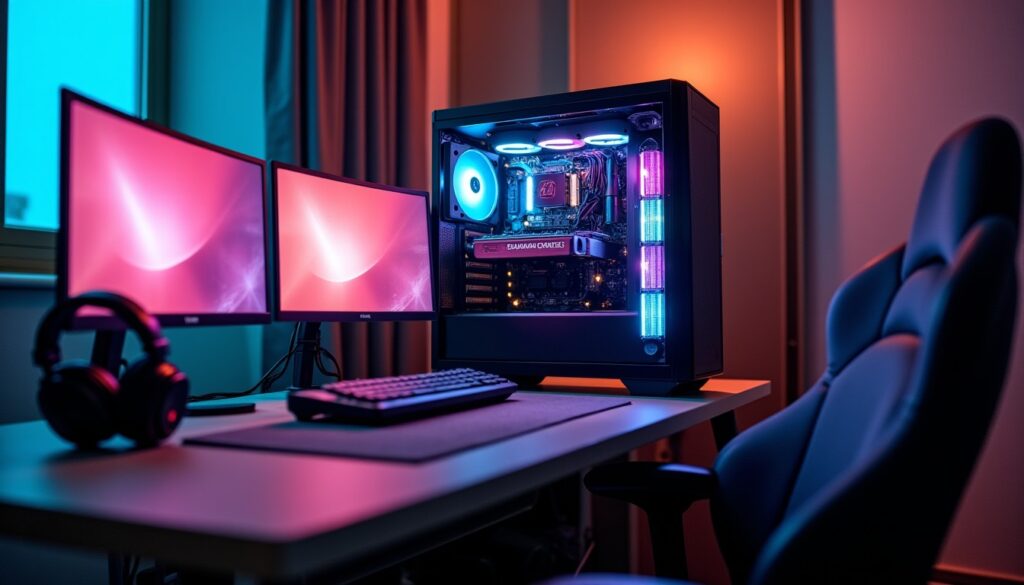
In the gaming universe, the performance of the setup is crucial to ensure smooth and immersive sessions. However, it often happens that players primarily focus on the graphics card, thinking it alone holds the key to a flawless experience. While this choice makes sense to a certain extent, neglecting the indispensable role of the processor can strongly compromise the overall balance and power of the machine. The processor, this invisible beating heart, is not limited to running applications: it coordinates a multitude of essential calculations that influence the fluidity, responsiveness, and stability of the most demanding games, especially in 2026 where titles increasingly explore multithreading and complex interactions.
Behind every FPS, every reduced latency time, lies the ability of a processor to handle artificial intelligence, manage the physics of environments, and orchestrate real-time exchanges. Not fully understanding its function or its integration into the gaming setup is equivalent to hindering the very potential of the PC, often despite significant investments. This neglect leads to major technical imbalances, a source of frustration and disappointing experiences for the player.
Avoiding the initial mistake: choosing the right processor for an efficient gaming setup
The most common mistake when it comes to gaming configurations concerns the choice of processor. Many are guided by trends, rankings, or general recommendations without considering their own constraints or specific uses. In 2026, faced with the diversity of processors, their architectures, and functionalities, this choice requires thorough reflection.
A processor that does not match the power of the graphics card can create a bottleneck, preventing the GPU from expressing its full potential. Imagine a player who has invested in a high-end, latest-generation graphics card, but paired with an entry-level CPU: despite quality visual rendering, the game will often run choppily, with recurrent FPS drops. The CPU limits the frame rate, a bottleneck that restricts all fluidity.
Conversely, investing in an oversized CPU compared to the rest of the setup does not guarantee a perceptible gain. Overloading the budget by skimping on other essential components, such as fast memory or a performant SSD, can create an equally damaging imbalance. The secret lies in harmony: the processor must correspond to the entire PC, thereby optimizing the experience without excess.
To properly select one’s processor, it is recommended to:
- Analyze your real needs in gaming and multitasking.
- Consider the resolution and type of favorite games (competitive, solo, open world).
- Verify hardware compatibility, especially with the motherboard and RAM.
- Think about cooling to ensure performance stability.
These precautions avoid falling into the trap of an unbalanced setup, a classical source of disappointment for gamers who want to maximize their experience.
Understanding why the graphics card is not everything in a balanced gaming setup
The myth that a gaming setup boils down to the power of the graphics card persists, but the reality in 2026 is much more nuanced. Modern titles extensively exploit the processor’s computing power for essential tasks that go far beyond visual rendering.
The processor notably manages:
- The management of NPC artificial intelligence.
- The processing of physics calculations (particle simulations, collisions).
- The coordination of the network and multiplayer interactions for smooth gameplay.
- Support for multiple background processes (communication, streaming, monitoring tools).
Competitive games, such as FPS or MOBAs, require extreme CPU execution speed to maintain a high, stable FPS rate and avoid fluctuations harmful to performance. An undersized processor in these contexts causes irregularities and a sense of latency that directly impacts competitiveness.
Furthermore, some modern open-world or simulation games benefit from intense dialogue between the CPU and GPU, distributing calculation loads to optimize resources. The idea of considering one of the two components as the sole engine is outdated.
Players must therefore aim for an overall balance that fully integrates the processor’s power, without which the graphics card would become a wasted investment. This harmony also contributes to healthier thermal and energy management, improving the machine’s longevity and stability over the long term.
Beyond clichés: the importance of the number of cores and frequency for CPU performance in gaming
When it comes time to choose a processor for a gaming setup, two major criteria often emerge: frequency and number of cores. However, it is not always a question of favoring one or the other, but understanding how these elements interact to influence performance.
Frequency, expressed in GHz, reflects the processor’s execution speed. Older games or certain competitive titles greatly benefit from high frequencies, as they remain mostly single-threaded. In 2026, this aspect remains a fundamental key, especially for lag-free enjoyment at 1080p and responsiveness.
On the other hand, the number of cores has become crucial with the emergence of multithreaded games that use several cores simultaneously. Simulations, open worlds, and complex physics engines utilize this capability to distribute the load and improve overall fluidity. Moreover, the common use of several applications in parallel – streaming, voice chat, web browser – amplifies the need for a large number of cores.
Failing to size one’s processor according to these two aspects leads to problematic situations:
- A CPU with too few cores will struggle to manage multiple simultaneous tasks, causing slowdowns or delays in gameplay.
- A CPU with too low a frequency will degrade smoothness and responsiveness, especially in games with a strong single-thread component.
The perfect balance is thus a global mix between a high frequency and a sufficient number of cores to meet the mixed demands of modern gaming and secondary uses. This nuance is fundamental for successful CPU optimization.
Personal use: adapting the gaming setup to your needs to avoid disappointments
One major pitfall is choosing one’s processor or entire setup without analyzing real personal use. Needs vary greatly depending on the player’s profile in 2026.
A competitive gamer mainly playing at 1080p will favor a very high frequency to guarantee maximum FPS, while a solo gaming enthusiast at high resolution will need to turn to a model capable of handling heavy multi-threaded workloads.
Furthermore, players who stream their gameplay or do video editing on the side require processors with enhanced multi-threading capabilities and good multitasking management. Optimizing a CPU only for a game hardly compatible with the real usage profile often results in unsatisfactory performance or unnecessary extra costs.
Here are some essential questions to ask yourself before choosing a processor:
- What are the main games played and their technical requirements?
- What resolution and graphical settings are preferred? (1080p vs 1440p or 4K)
- Do you plan to do streaming or editing in parallel?
- Do you want to keep your setup upgradeable for several years?
This reflection.Personalizing your gaming setup according to your needs ensures better budget control and avoids unpleasant surprises related to insufficient performance or oversize hardware.
Processor cooling and overheating: a critical factor too often ignored
Cooling is a pillar too often underestimated when building a gaming setup. Yet, it plays a fundamental role in processor stability and optimization.
An overheating CPU will automatically force its frequency to drop via throttling, a protection mechanism that prevents damage caused by excessive temperature. This phenomenon instantly reduces performance, often without the user noticing clearly, which can lead to frustrating and slowed gaming sessions.
Choosing a good cooling system – high-performance air cooler or water cooling – is essential to keep temperatures within an optimal range. Additionally, well-configured fan management in the BIOS or via dedicated software allows adjusting rotation speeds according to load and temperature, minimizing noise while maximizing efficiency.
In 2026, several cooling techniques evolve toward even more compact and silent models, suitable for demanding yet aesthetic setups. Neglecting this fundamental aspect exposes the components to premature wear and a recurring drop in CPU performance.
To prevent processor overheating risks, here are some tips:
- Install a cooler suited to the processor’s thermal power.
- Ensure smooth airflow inside the case, with efficient air intakes and exhausts.
- Regularly monitor temperatures via dedicated software.
- Configure fan management in the BIOS to favor intelligent cooling.
- Perform regular maintenance to avoid dust accumulation.
Check hardware compatibility: a must to avoid incompatibilities and performance loss
Assembling a gaming PC requires particular attention to the compatibility between components. The processor is no exception: its selection must be coherent with the motherboard, RAM, and even the power supply.
In 2026, standards have evolved but remain complex. An unsuitable motherboard can block certain advanced processor features such as secure overclocking or support for the latest memory technologies.
RAM also plays a key role: memory that is too slow or in insufficient quantity will limit CPU performance, especially in demanding games or multitasking applications. The frequency and latency of RAM must be chosen with the overall balance in mind.
Finally, the power supply must provide constant and stable power to avoid any performance drop or risk of crashes during usage peaks. Ensuring that the processor, especially if overclocked, is properly powered is a step not to be neglected.
Here is a summary table of compatibility points to verify:
| Component | Critical Aspect | Consequence of Incompatibility |
|---|---|---|
| Motherboard | Socket, chipset, overclocking support | Feature blocking, instability |
| RAM | Frequency, capacity, latency | Performance drop, bottleneck |
| Power Supply | Power, stability | Crashes, unexpected shutdowns |
| Cooling | Compatibility with socket, thermal capacity | Overheating, throttling |
Meticulously checking these aspects helps guarantee smooth operation and extended lifespan for the gaming setup.
Advanced optimization: BIOS, secure overclocking, and PC maintenance to maximize CPU performance
To fully exploit a processor, you must go beyond simple hardware choice and focus on advanced settings that will durably influence in-game performance.
The PC BIOS is a central interface that allows adjusting essential parameters such as:
- Fan management to balance performance and silence.
- Frequencies and voltages of components within the framework of secure overclocking.
- Activation or deactivation of processor-specific technologies (hyper-threading, power-saving modes).
- XMP profiles to optimize RAM.
Secure overclocking is now widely democratized in 2026. It allows increasing processor frequencies while guaranteeing maximum stability thanks to protections integrated in the BIOS and software. This optimization offers an appreciable FPS boost without compromise on lifespan.
Finally, PC maintenance plays a key role in maintaining performance. Regularly cleaning dust from fans, applying appropriate thermal paste, or checking component status ensures ideal conditions for the processor to run at full speed. Neglecting these actions is equivalent to accepting a gradual degradation of capabilities.
A truly optimized gaming setup is therefore the result of intelligent assembly, fine tuning, and rigorous maintenance, thus avoiding all the classic traps that hinder CPU performance.




