
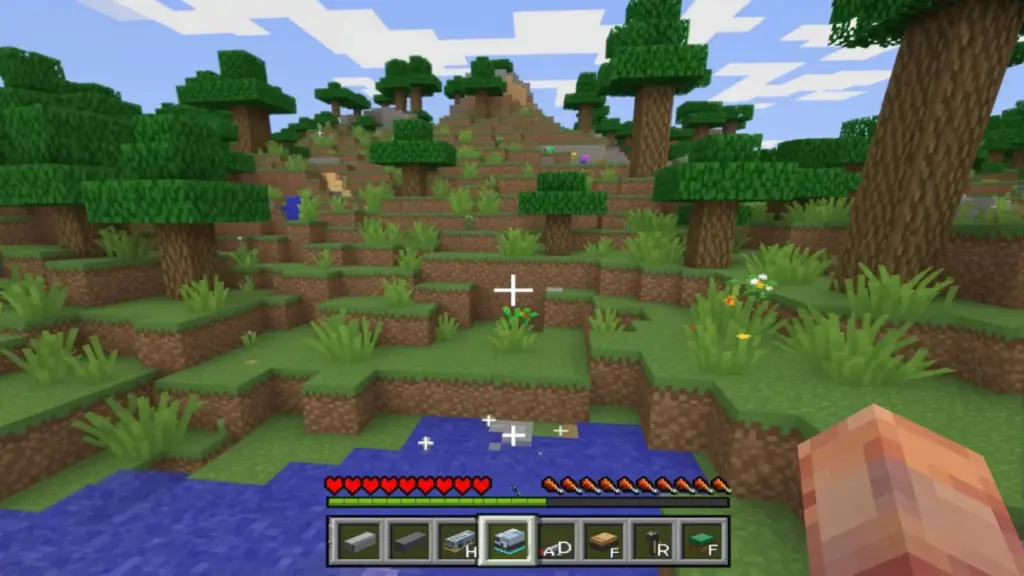
Minecraft, this monument of video games, continues to captivate millions of players around the globe in 2025. Yet, despite its simple graphics and pixelated universe, running it smoothly on a PC is not necessarily straightforward. The question of memory allocation, especially Minecraft RAM, often comes up in forums and online discussions. Should a large portion of the RAM be assigned to Minecraft to avoid lag, or rather be cautious? This dilemma directly impacts the game’s fluidity and quality of the gaming experience. Through this article, we explore the subtleties of managing Minecraft RAM, the risks of poor memory allocation, and optimization tips to get the most out of your PC configuration in Minecraft.
With the growing popularity of mods, multiplayer servers, and high-quality graphic packs, the resource needs have evolved. However, allocating too much RAM to Minecraft does not guarantee overall better Minecraft performance. By understanding the technical mechanisms involved, one can anticipate, adjust, and configure their system to maximize the game’s potential without sacrificing the computer’s stability. Forget binary solutions: the appropriate memory allocation depends on multiple variables, ranging from the processor’s quality to the SSDs used. Discover now why and how to optimize your Minecraft experience to avoid lags and hiccups.
The risks of over-allocating RAM to Minecraft: why too much is too much
Allocating too much Minecraft RAM to your game might seem like a good idea at first glance. One might think that by adding more RAM, Minecraft would run flawlessly, with fast world loading and perfect smoothness. However, this false good idea hides several pitfalls related to the internal functioning of Java, the platform on which Minecraft is developed.
Java uses a system called garbage collector which automatically manages available memory by cleaning up unused data. The problem with memory overallocation is that this mechanism becomes less efficient. The more RAM allocated, the longer the garbage collector waits before starting its cleaning. Result: unexpected and long pauses in the game, causing freezes and lags that players clearly feel. It’s a bit like letting your room become a real battlefield before deciding to tidy up: the chore becomes heavier and more noticeable.
In addition to these pauses in memory management, too high an allocation can also induce an overload of your PC’s overall system. RAM is not alone in managing performance: the CPU, graphics card, and even the hard drive come into play. When Minecraft drains too many resources, other essential processes to the computer’s functioning can be slowed down, creating general instability with possible hardware conflicts.
This table summarizes the negative effects of RAM overallocation:
| Problem | Consequence |
|---|---|
| Garbage collector pauses | Freezes, frequent stutters |
| Excessive memory usage | General system slowdowns |
| Conflicts with other applications | PC instability, crashes |
In 2025, with often more powerful PC configurations but also more sensitive to multitasking, avoiding memory-related lags therefore requires precise balancing. It’s not about allocating all the memory to Minecraft but finding a balance that allows the garbage collector to act frequently and efficiently.
How to define optimal Minecraft RAM allocation based on your PC configuration
Resource management in Minecraft largely depends on your PC configuration. To get the most out of your machine, choosing the right amount of Minecraft RAM is essential to maintain a smooth experience without unnecessarily overloading your system.
An essential tip is not to exceed half of your PC’s total RAM in the allocation. For example, if your computer is equipped with 16 GB of RAM, it is advisable to reserve between 6 and 7 GB for Minecraft. This setting allows the Java process to remain agile while leaving enough resources for the operating system and other applications.
To accurately know your RAM amount, simply do this: simultaneously press the Windows + X keys, then select “System”. The installed memory is then displayed, giving you your baseline for memory allocation.
Here’s how to concretely modify this allocation in the Minecraft launcher:
- Open the Minecraft launcher and go to the “Launch Options” section.
- Enable JVM arguments if not already done.
- In the arguments field, look for the -Xmx option which corresponds to the maximum allocated RAM limit.
- Modify this value according to the desired amount (example: -Xmx7G for 7 GB).
- Save and restart Minecraft to apply these changes.
It should also be noted that allocating too little memory is just as problematic: with less than 2 GB, Minecraft may load chunks slowly, with constant micro-lags. It’s a bit like trying to run a marathon without the right shoes!
Players using different Minecraft versions must watch compatibility: the 64-bit Java version allows a larger RAM allocation than the 32-bit version, which is technically limited to 1 GB of memory. If you’re still on 32-bit, it is highly advisable to upgrade to fully benefit from the available memory.
Optimizing Minecraft beyond memory allocation: mods, shaders, and graphic settings
While it’s tempting to think the miracle solution to optimizing the game rests solely on Minecraft RAM, it would be reductive to overlook other equally crucial levers. Among these, mod management can drastically affect Minecraft performance.
Mods add functional and visual layers but can also clog the system. Each loaded mod consumes RAM, CPU, and potentially demands more from the graphics card. Moreover, some mods are poorly optimized or incompatible, causing bugs and slowdowns.
To avoid these issues, it is advisable to:
- Install mods one by one and test performance after each addition.
- Favor popular mods that are well maintained by the community.
- Limit the use of particularly demanding shaders, unless you have a beefy configuration.
- Reduce render distance in Minecraft settings if you feel lags.
- Disable superfluous graphic effects (shadows, particles, etc.).
This optimization work allows for a performant balance without relying exclusively on memory allocation. For example, a player on a mid-range PC who limits render distance and avoids advanced shaders will have much better smoothness, even without allocating astronomical amounts of Minecraft RAM.
For servers, configuration is even more delicate. The more players the server hosts, the more RAM you should plan in total. On average, each player requires about 400 MB of memory, meaning a server with 25 players should have at least 10 GB to ensure satisfactory smoothness. Nevertheless, this allocation must be combined with a powerful processor and good hard drive speed to avoid latency times and delays.
Minecraft RAM in harmony with other components of your PC for optimal game smoothness
Minecraft performance does not depend solely on memory allocation. The core of smooth functioning is good coordination among the different elements of your computer. Thus, processor, graphics card, and hard drive play a key role, and their consideration is fundamental in game optimization.
The processor is the heart that processes commands, entity physics, and game logic. Even with a large pool of RAM, an aging or underperforming CPU will cause slowdowns and significant latency.
The graphics card, although Minecraft uses a simple aesthetic, affects the rendering of textures, shadows, and visual effects. A recent and powerful card provides a better experience, especially if you use shaders or high-definition texture packs.
Finally, the hard drive conditions the loading speed of worlds and data. An SSD is now almost indispensable to minimize loading times in Minecraft, thus ensuring increased game smoothness.
Here is a table that puts these components into perspective based on their impact on Minecraft smoothness:
| Component | Impact on Minecraft performance | Optimization advice |
|---|---|---|
| RAM | Management of loaded data and chunks | Allocate 50% of total RAM |
| Processor (CPU) | Calculation of physics, entities, game logic | Favor a modern, multi-core CPU |
| Graphics card (GPU) | Visual rendering, textures, shaders | Use a card compatible with desired graphic effects |
| Hard drive | Loading time of resources and worlds | Install Minecraft on a fast SSD |
This balance among these four pillars guarantees a complete and efficient game optimization. So do not focus solely on Minecraft RAM, as this could limit your overall progress margin.
Precisely configuring Minecraft settings to balance performance and visuals
Beyond RAM allocation, PC configuration and the Minecraft settings built into the game are essential levers. Adjusting graphic options often makes it possible to significantly increase smoothness, even on moderately equipped machines.
Here are the main settings to adjust to avoid lags and FPS drops:
- Render distance: Reduce the distance to limit load on RAM and CPU. A setting between 8 and 12 chunks is often a good compromise.
- Animations: Disable particle and water animations if your PC is slow.
- V-Sync: Enable it to limit screen tearing, but know that it can sometimes cause slight performance drops.
- Graphics: Switch to “minimal” or “fast” mode if you prioritize smoothness over visual quality.
- Graphic effects: Disable shadows, anti-aliasing, and other demanding effects.
A good idea is to test each change separately and measure its impact on game smoothness. This will allow you to build a personalized profile adapted to your particular configuration.
Common mistakes in Minecraft RAM management that cause lags
To optimize Minecraft RAM without falling into classic traps, it is useful to list the common mistakes encountered by many players:
- Allocating too little RAM: below 2 GB, the game will poorly load chunks and show micro-stutters.
- Over-allocating without thinking: putting more than 8 GB in Minecraft when the PC only has 16 GB can cause freezes.
- Not checking the Java version: a 32-bit version limits usable RAM, causing crashes or slowdowns.
- Forgetting to adjust graphic settings: allocating RAM is not enough if visual effects remain very demanding.
- Ignoring mod management: some poorly optimized mods can consume enormous additional RAM.
Fixing these errors requires constant vigilance. A cautious player will adjust their configurations, check the Java version, and regularly test their mods to maintain a healthy balance between Minecraft RAM and other resources.
Advanced memory management techniques in Minecraft: JVM options and tips to reduce pauses
For the most advanced players and server administrators, it is possible to fine-tune RAM management thanks to advanced JVM argument options in the Minecraft launcher. These parameters notably allow modifying the garbage collector’s behavior.
An example of a popular argument is:
-XX:MaxGCPauseMillis=50
This option aims to limit the maximum cleaning pause duration to 50 milliseconds, thus minimizing freezes experienced in-game. In practice, it forces the garbage collector to perform more frequent but shorter cleanings, improving the fluidity feeling.
Other optimizations include adjusting the initial allocated memory size (with the -Xms option) to avoid too frequent dynamic expansions. For example:
-Xms4Gto set 4 GB of RAM at launch-Xmx6Gto limit max RAM to 6 GB
These fine settings require some experience but can radically transform your Minecraft performance if you use many mods or manage a server.
Tips for managing a Minecraft server: memory allocation and performance with many players
Managing a Minecraft server requires a different approach. Here, Minecraft RAM must be calculated based on the number of simultaneous players, active plugins/mods, and the size of explored worlds.
A simple formula in 2025 recommends allocating about 400 MB of RAM per player, plus a reserve for system files and background processes. A server hosting 20 players should therefore have at least 10 GB of RAM available.
Besides the amount of memory, it is imperative to:
- Use a powerful processor capable of managing multiple threads in parallel.
- Favor an SSD drive to reduce loading times and improve responsiveness.
- Limit or moderate the use of heavy mods and plugins that can burden memory and CPU management.
- Configure JVM server options, especially garbage collector management to better control pauses.
Server stability depends on this balance between Minecraft RAM and other resources. Ignoring this organization often leads to lags, unexpected disconnections, and a poor experience for players.




