Dive into the enigmatic world of Clair Obscur : Expedition 33, a video game that pushes the limits of performance and graphics thanks to a demanding PC setup. Developed by the French studio Sandfall Interactive, this title integrates the Unreal Engine 5, guaranteeing immersive environments and level design of remarkable finesse. Faced with such a visual challenge, it is essential to understand precisely which computer hardware will allow you to easily explore this dark and captivating universe. The adventure is not only aimed at gamers equipped with a high-end machine, but requires thoughtful PC optimization to fully leverage the available resources. Between disk space, RAM, processor, and graphics card, every component counts to accompany you on this expedition into the heart of a demanding RPG.
Released in April 2025 on multiple platforms, this multi-format game has garnered considerable enthusiasm among exploration and turn-based strategy enthusiasts. However, to avoid technical bottlenecks during progression and enjoy a smooth experience at 60 FPS, it is important to adapt your PC to the minimal and recommended configuration requirements. Preparing your equipment thus becomes an essential step before embarking on this intense journey. We will detail, section by section, which hardware criteria and optimization tips should guide your PC setup choice to fully explore the fascinating universe of Clair Obscur : Expedition 33.
- 1 What are the minimum requirements to play Clair Obscur : Expedition 33 in 1080p?
- 2 Recommended configuration for a smooth and immersive experience at 60 FPS
- 3 Importance of fast storage and loading time optimization for better exploration
- 4 The impact of RAM on fluidity and performance in Clair Obscur : Expedition 33
- 5 Processor choice: balance between raw power and energy optimization
- 6 Optimize your computer hardware to maximize Clair Obscur : Expedition 33 performance
- 7 Advanced graphic technologies and absence of Ray Tracing in Clair Obscur : Expedition 33
- 8 Release, availability, and multiplatform support for an accessible experience
What are the minimum requirements to play Clair Obscur : Expedition 33 in 1080p?
Before immersing yourself in the complex mechanics and visual richness of the game, it is essential to verify that your PC configuration meets the minimum requirements established to offer at least a playable experience in 1080p at 30 frames per second. This technical baseline guarantees correct fluidity, even if the graphic settings will mostly need to be low or medium to avoid lags and slowdowns.
The Sandfall Interactive studio has set the following criteria as essential:
- Operating system: Windows 10 64-bit, to use all the features of the Unreal Engine 5 and DirectX 12.
- Processor: Intel Core i7-8700K or AMD Ryzen 5 1600X. These processors offer an optimal number of cores and a good frequency/thread count balance needed to handle physics, AI, and exploration-related calculations without slowing down the game.
- RAM: 8 GB of RAM, a sufficient capacity to support textures and gameplay stability.
- Graphics card: NVIDIA GeForce GTX 1070 Ti 8 GB, AMD Radeon RX Vega 56 8 GB, or Intel Arc A580 8 GB. These GPUs have enough power to display the complex rendering required on low but acceptable graphic settings.
- DirectX Version 12, to exploit the latest advances in rendering and optimization.
- Disk space: At least 55 GB, SSD storage recommended to minimize loading times and smooth transitions during exploration.
Although this configuration is labeled minimal, it is important to note that the required hardware remains quite high, a sign that the game is technically demanding. For example, the GTX 1070 Ti was already a high-end GPU at its initial release. Thus, a player using this base can run Clair Obscur with a stable framerate around 30 FPS, which is acceptable for discovering the universe, although it will limit visual comfort.
Practical alternative: For those on a tighter budget but still wishing to explore the game without too much sacrifice in quality, a machine equipped with an AMD Ryzen 5 5600 with an RTX 4060 or Radeon RX 7600 graphics card and 16 GB of RAM offers a smoother experience, even if it does not reach all the visual details. This intermediate solution represents a smart compromise between performance and cost.
Recommended configuration for a smooth and immersive experience at 60 FPS
For all players passionate about exploration and wishing to discover Clair Obscur : Expedition 33 with sublime graphic quality and smooth gameplay at 60 frames per second, the recommended configuration is to be seriously considered. Advanced graphics require more significant computing power, especially regarding the graphics card and RAM, which manage texture fidelity and effects specific to the game’s dark and unsettling atmosphere.
The developers thus recommend:
| Component | Recommended specification |
|---|---|
| Operating system | Windows 11 64-bit |
| Processor | Intel Core i7-11700K or AMD Ryzen 5 5600X |
| RAM | 16 GB of RAM |
| Graphics card | NVIDIA GeForce RTX 3070 8 GB or AMD Radeon RX 6800 XT 16 GB |
| DirectX | Version 12 |
| Disk space | 55 GB on SSD mandatory |
This configuration allows you to enjoy the title with high settings in 1080p and 60 FPS. It is also the baseline to consider if you are sensitive to graphic details, such as sophisticated lighting effects and ultra-realistic textures crafted with the Unreal Engine 5.
For visual exploration enthusiasts at 1440p resolution, the equipment will need to be even more robust. A 13th generation Intel Core i5 or a Ryzen 5 Zen 3 coupled with an RTX 5060 Ti or a Radeon RX 7700 XT is recommended, guaranteeing a perfect balance between extreme graphic quality and smooth turn-based actions.
Those passionate players wishing to play in 4K will need to integrate high-end components such as a 14th generation Intel Core i7 or an AMD Ryzen 7 Zen 4, an RTX 5070 Ti or Radeon RX 7900 XTX, as well as 32 GB of RAM. This prestigious configuration exploits the full power of the graphics engine to offer an unparalleled visual immersion allowing uncompromised exploration of the entirety of Clair Obscur.
The graphics card is the core of visual performance in Clair Obscur. The game’s Unreal Engine 5 pushes the limits of textures, shadow, and light effects, making the use of modern GPUs capable of handling a massive workload necessary. The GTX 1070 Ti is suitable for starting but will not deliver the full brilliance of the developed universe. Conversely, an RTX 3070 or RX 6800 XT provides a level of detail and fluidity better suited to the richness of environments and constant exploration.
The addition of upscaling technologies such as DLSS on NVIDIA cards or XESS on AMD cards also eases the GPU load by improving performance without sacrificing visual quality, especially at high settings. Integrating these features helps maintain performance while enjoying a sharp and detailed rendering.
Importance of fast storage and loading time optimization for better exploration
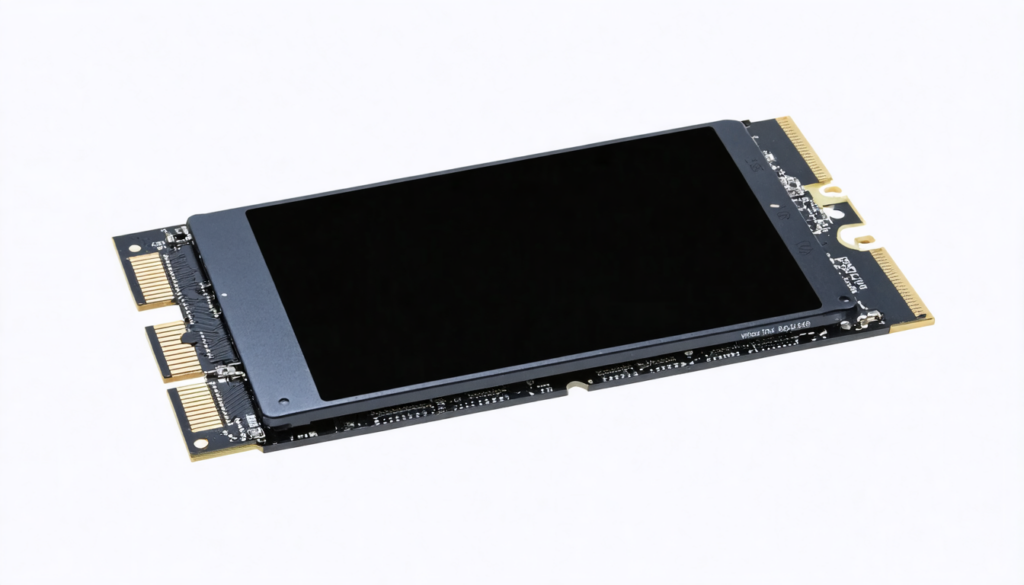
Beyond raw performance, computer hardware must also ensure fast loading times and smooth accessibility to game content. Clair Obscur requires at least 55 GB of disk space, a moderate size compared to other recent titles using Unreal Engine 5. However, the difference will mainly be made by using an SSD, strongly recommended to minimize waiting times.
Using an NVMe SSD is advised to further optimize loading, particularly during zone changes or the start of exploration phases. Players with only a traditional hard drive risk slowdowns and a loss of immersion due to prolonged loading times.
Moreover, good storage management also helps preserve system performance over the long term. For example, avoiding saturating the main drive where the game and system are installed prevents potential slowdowns in access to essential files. This precaution plays a key role in overall stability and gaming comfort.
Finally, fast storage also facilitates applying updates and patches that regularly optimize performance and compatibility with different hardware configurations. Never neglect the capacity and speed of your storage support, especially in a game that intensively exploits graphic detail.
Some optimization tips for your SSDs:
- Defragment your drives regularly (except SSDs) and clean obsolete files to free up space.
- Use analysis tools to check the health of your SSD.
- Store temporary files or backups on another drive if possible to avoid saturation.
- Update SSD firmware to improve performance and longevity over time.
The impact of RAM on fluidity and performance in Clair Obscur : Expedition 33
RAM plays a role often underestimated but crucial in managing the numerous simultaneous tasks required by this exploration RPG. 8 GB is the minimum tolerable, but like many modern games, 16 GB has become the standard to ensure a smooth experience, especially if you want to play with high graphic settings or in 1440p.
RAM temporarily hosts textures, world data, animations, as well as all the code needed for immersive exploration without interruptions. A lack of RAM can cause longer load times or stuttering during intense combat phases or fast movements in the universe.
Also consider choosing RAM with a speed and compatibility matching your processor to maximize memory bandwidth, which will favor transfer speed and overall stability. Some advanced players also recommend RAM overclocking, provided you understand your hardware limits to preserve the longevity of your PC.
In summary, investing in at least 16 GB of RAM is now an essential reflex if you want to explore Clair Obscur without being hampered by unexpected slowdowns or graphic artifacts. It is one of the elements that will directly influence the perception of smoothness beyond just GPU power.
Processor choice: balance between raw power and energy optimization
The processor must handle a large number of parallel calculations to manage the numerous interactions within the game: artificial intelligence, physical rendering, sound management, dynamic dialogues, and of course, interactivity during turn-based combat. Clair Obscur : Expedition 33 therefore requires a CPU capable of delivering a high clock rate and good multi-thread management.
Recommendations point towards recent generation Intel Core i7 models or AMD Ryzen 5 starting from the 5000 series. These CPUs perfectly balance the raw power needed and efficient power consumption management, avoiding overheating and maintaining stable frequency during prolonged explorations.
Often, the processor is the bottleneck in older configurations. Investing in a capable processor allows good amortization over time, especially when targeting a 1440p or 4K experience with detailed graphics. Choosing a processor must therefore be thoughtful, considering the overall balance of the PC setup for Clair Obscur.
Comparative table of suitable processors in 2026 for Clair Obscur : Expedition 33
| Model | Cores/Threads | Base / Boost Frequency (GHz) | Power Consumption (TDP) | Indicative Price (€) |
|---|---|---|---|---|
| Intel Core i7-11700K | 8 / 16 | 3.6 / 5.0 | 125 W | 320 € |
| AMD Ryzen 5 5600X | 6 / 12 | 3.7 / 4.6 | 65 W | 220 € |
| Intel Core i7-13700K | 16 / 24 | 3.4 / 5.4 | 125 W | 420 € |
| AMD Ryzen 7 7800X | 8 / 16 | 4.5 / 5.4 | 105 W | 400 € |
Optimize your computer hardware to maximize Clair Obscur : Expedition 33 performance
Beyond simply choosing an adequate PC configuration, optimizing your system settings is essential to guarantee smooth and enjoyable exploration in Clair Obscur. Even the most powerful machine can suffer slowdowns if some settings are not properly adapted.
Here are several practical tips to significantly improve your performance:
- Regularly update your graphics drivers to benefit from game-specific optimizations, which are often deployed in the weeks following release.
- Disable unnecessary applications and background processes to free up CPU and memory resources.
- Adjust graphic settings according to your hardware: slightly lower shadow quality, reflections, or disable heavy effects if you notice a drop in fluidity.
- Enable upscaling technologies like DLSS or XESS based on your GPU to gain smoothness without sacrificing sharpness.
- Optimize the operating system: favor a 64-bit version of Windows 10 or 11 with a minimum configuration recommended by Microsoft to ensure the best stability.
- Monitor CPU and GPU temperatures: good cooling will avoid thermal throttling which negatively impacts performance.
These combined measures greatly reduce the risk of micro-freezes and improve the quality of exploration in this visually detailed game. Taking care of your computer hardware is therefore the key to successfully advancing through Expedition 33 in the best conditions.
Advanced graphic technologies and absence of Ray Tracing in Clair Obscur : Expedition 33
A notable characteristic regarding this title’s graphics is the absence of Ray Tracing. While this revolutionary technology improves shadow and reflection management for more realism, Sandfall Interactive chose not to implement it. This decision might seem surprising given the game’s visually advanced aspect, but it is explained by the desire to optimize fluidity and compatibility across a wide range of hardware.
Instead of Ray Tracing, the game relies on advanced upscaling technologies such as NVIDIA’s DLSS and Intel’s XESS (for AMD cards). These tools exploit artificial intelligence to enhance image resolution in real time, allowing high graphic quality without unnecessarily overloading the GPU.
Concretely, the player benefits from a sharp and detailed rendering even on mid-range graphics cards, which broadens the game’s exploration capacity to a wider audience. These optimizations are particularly visible on lighting effects and dynamic textures, which remain superb despite the absence of Ray Tracing.
Key points on graphic technologies:
- No Ray Tracing to guarantee stability and fluidity even on recommended configurations.
- DLSS and XESS for smart upscaling improving sharpness and performance.
- Efficient use of GPU resources allowing exploration of detailed worlds without sacrificing performance.
Release, availability, and multiplatform support for an accessible experience
Clair Obscur : Expedition 33 was released on PC, PlayStation 5, and Xbox Series X|S on April 24, 2025, but it is the PC version that imposes its demanding configuration. Especially since the multi-format approach allows a wider audience to access this much-anticipated exploration RPG. The simultaneous release favored rapid adoption of the title, with a well-deserved GOTY 2025, rewarding the quality of production and gameplay originality.
Multiplatform support also implies constant adaptation of the game to different hardware powers, which explains the necessity to propose high minimal requirements, especially on PC. PC optimization remains undoubtedly the most crucial point to avoid issues caused by incompatibilities or slowed performance. For this reason, Sandfall Interactive regularly deploys patches and updates to guarantee the best possible experience to all explorers regardless of their equipment.
In parallel, the PC community benefits from active support via forums and advice, helping you resolve technical issues, optimize your hardware, and push your setup to the maximum to fully enjoy the mysterious world of Expedition 33 without constraints.