At the dawn of an era where artificial intelligence is redefining the boundaries of creativity, Midjourney stands out as one of the most fascinating tools in the field of digital art. Born in 2022, this software has managed to conquer a vast community by offering everyone the opportunity to give shape to their visions through image generation from simple textual descriptions. Its rapid rise, marked by surpassing 8 million users in just a few months, attests to an unprecedented enthusiasm for this type of technology. This guide, set in the heart of 2025, proposes to unravel all the mysteries of the software, from basic fundamentals to advanced techniques, to help you fully unleash your creative potential.
Whether you are a beginner looking to understand the first commands or a graphic design professional seeking optimization, you will find in this comprehensive tutorial a trove of crucial information. From integrating the Discord plugin to mastering prompts and comparing with other generative artificial intelligences, each chapter is designed to guide you effectively through this complex but exciting universe. Also explore the practical uses and perspectives offered by Midjourney in key sectors such as illustration, marketing, or architecture. Dive into this artistic revolution and discover how, in 2025, Midjourney is established as an essential lever for AI-assisted image creation.
- 1 Midjourney: What is this artificial intelligence and how to access it in 2025?
- 2 First steps with Midjourney on Discord: step-by-step guide to generate your images
- 3 How to write effective prompts to fully leverage Midjourney in 2025
- 4 The best alternatives to Midjourney in 2025: comparison with DALL-E 3, Stable Diffusion, and Canva AI
- 5 Professional applications of Midjourney: sectors and concrete cases in 2025
- 6 Advanced tips to master the essential Midjourney parameters
- 7 Best practices to optimize creativity with Midjourney in 2025
- 8 Evolution perspectives and trends to watch around Midjourney in 2025
Midjourney: What is this artificial intelligence and how to access it in 2025?
Midjourney represents a major breakthrough in generative artificial intelligence, capable of transforming a simple textual description into a digital image of impressive richness and detail. Officially launched in July 2022 by David Holz, this software immediately found its place in the landscape of creative technologies, attracting a growing community of enthusiastic users. Its operation is based on the analysis of vast existing image databases coupled with deep learning algorithms that allow the creation of unprecedented and personalized visual works.
To access Midjourney, two main methods are available to you: via the official website or through the Discord server, the preferred platform that animates a large part of the community. The Discord server remains the most popular channel, notably thanks to its interactive interface facilitating image generation through simple commands. To get started, the first step is to create a Discord account if you don’t have one yet, then join Midjourney’s official server. You will find dedicated channels for “newbies” as well as for more experienced users, which encourages progressive and collaborative learning.
Since 2023, Midjourney has been exclusively accessible through paid plans, with a monthly subscription ranging from 8 to 120 dollars depending on needs and usage. The Basic Plan, offered around 8 dollars, allows generating up to 200 images per month or about 3.3 hours of fast computation. For intensive creators, the Mega Plan at 120 dollars offers 60 hours of priority generation, suitable for professionals or graphic design teams. All subscriptions include unlimited slow generation, providing an economical alternative for patient users.
Opting for a subscription also unlocks the possibility of benefiting from full intellectual property rights on the generated creations, a significant aspect for artists and designers who wish to commercially exploit their works. This policy strengthens Midjourney’s attractiveness compared to its competitors and guarantees important legal security.
First steps with Midjourney on Discord: step-by-step guide to generate your images
The ease of access to Midjourney via Discord is one of its major assets. Upon your first connection to the official server, you will be invited to explore channels dedicated to beginners, where you can fearlessly experiment with image generation using the iconic command /imagine. This process revolves around writing prompts in English, the preferred language to ensure the best AI understanding.
To initiate generation, simply enter the command /imagine followed by a concise and vivid description. For example, typing “cyberpunk city at night, neon lights, rain, realistic photography” will produce four distinct images illustrating this futuristic scene. In less than a minute, Midjourney will present these renders which can then be refined. Thanks to the U1 to U4 buttons, you can enlarge a specific image to obtain a high-definition version.
The V1 to V4 options offer variations of the initial creation, allowing you to explore different styles or perspectives without starting from scratch. This iteration dynamic is essential to refine ideas and progress towards a rendering that matches exactly your creative vision. For example, a designer seeking to illustrate a baroque scene can adjust their prompts until obtaining the desired texture, lighting play, and architectural details.
Besides /imagine, other commands deserve your attention:
- /settings: to customize global parameters such as the algorithm version used or the rendering style.
- /info: displays information about your generated image count and subscription status.
- /subscribe: opens subscription management directly within Discord.
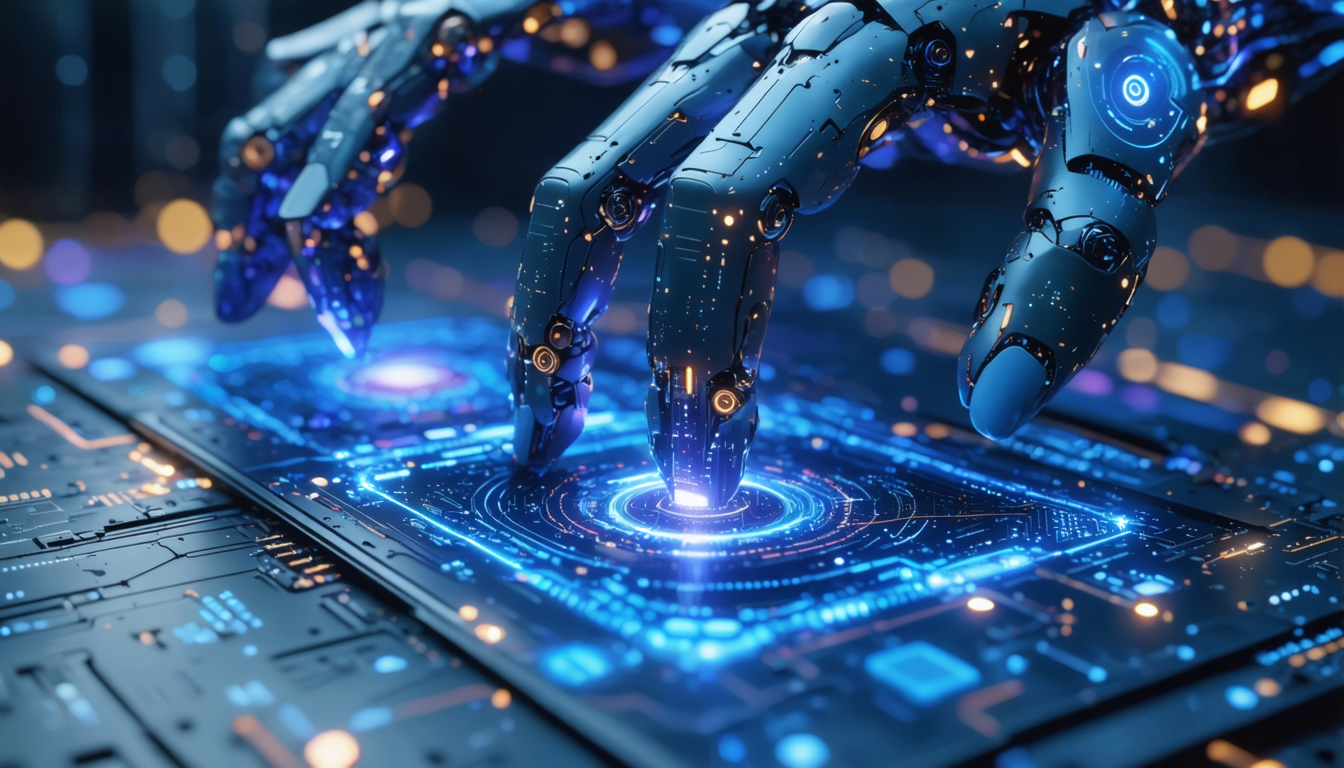
An interesting anecdote on this subject concerns the evolution of Midjourney’s models. At its beginnings, reconstructing human hands was a major challenge, often resulting in errors like a disproportionate number of fingers. Today, the sixth version of the algorithm far surpasses these limits, offering stunning realism and natural textures that appeal both to amateurs and professionals.
How to write effective prompts to fully leverage Midjourney in 2025
Writing a prompt that produces an image perfectly faithful to your imagination is an art in itself. In 2025, the most advanced Midjourney users refine their textual descriptions with precise techniques to best guide the artificial intelligence. Mastering prompts always starts with a clear structure:
- Define the subject: specify precisely what you want to see (character, landscape, object).
- Specify the artistic style: watercolor, realistic photography, 3D, vector illustration, or anime style, for example.
- Add details: dominant colors, lighting mood, emotion to convey.
- Integrate advanced parameters: to refine the result using options specific to Midjourney.
An example of a complete prompt could be: “Ancient forest temple, moonlight filtering through trees, digital art, mystical atmosphere, blue and purple color palette –ar 16:9 –v 6”. The final segment “–ar 16:9” indicates a landscape format, while “–v 6” uses the latest version of the algorithm to obtain an optimal rendering.
Here are the advanced parameters to know:
| Parameter | Description | Usage example |
|---|---|---|
| –v5 or –v6 | Selection of the algorithm version | “–v6” for the most recent and performant rendering |
| –ar | Aspect ratio of the image (width:height) | “–ar 1:1” for a perfect square, “–ar 16:9” for a widescreen format |
| –q | Adjusts quality and rendering time (0.25 to 2) | “–q 2” for superior quality, more resource-intensive |
| –no | Exclusion of unwanted elements | “–no people” for an image without characters |
| –chaos | Control of variety and randomness (from 0 to 100) | “–chaos 50” for moderate creativity |
For artists who want to mix several influences, it is also possible to insert related images via URLs, notably to guide visual styles. This option paves the way for unique hybrid creations.
The best alternatives to Midjourney in 2025: comparison with DALL-E 3, Stable Diffusion, and Canva AI
Midjourney is not the only generative artificial intelligence capable of creating images from text. In 2025, several popular alternatives meet varied needs depending on budget, usage, and desired artistic output. Understanding the strengths and limitations of each helps in choosing the most suitable tool.
DALL-E 3, developed by OpenAI, will attract those who prioritize an intuitive interface and high-quality images close to photographic realism. It excels in creating realistic, more natural visuals, but its cost is higher: around 20 dollars per month if combined with ChatGPT Plus. DALL-E also offers seamless integration with other OpenAI tools, facilitating hybrid workflows.
Stable Diffusion stands out as an open-source solution available for free locally. This particularity offers great freedom and total control over creations, provided you have technical skills for installation and management. It is particularly appreciated by advanced users and developers who want to customize their creation experience.
Canva AI benefits from integration into the Canva ecosystem, ideal for graphic design professionals who want to combine image generation and traditional editing tools in one space. Its use is designed for speed and simplicity, but fine customization of prompts is less advanced than in Midjourney.
| AI Tool | Strengths | Weaknesses | Indicative Pricing |
|---|---|---|---|
| Midjourney | Artistic quality, varied styles, affordable price | No free version, English prompts mandatory | From $8 to $120/month |
| DALL-E 3 | Realistic rendering, easy to use | Higher cost, less customization | About $20/month |
| Stable Diffusion | Open source, full control | Requires technical skills | Free (self-hosted) |
| Canva AI | Simple, fast design integration | Limited customization | Included in Canva Pro ($12.99/month) |
Depending on your needs, you might choose Midjourney for its pronounced artistic side and dynamic community, DALL-E 3 for natural visuals, Stable Diffusion for total independence, or Canva AI for quick integration into versatile graphic projects.
Professional applications of Midjourney: sectors and concrete cases in 2025
In 2025, Midjourney establishes itself as an essential tool in numerous professional fields. Its impact is particularly visible in marketing, illustration, architecture, and education sectors. These uses testify to massive and diversified adoption, going far beyond a simple hobby for amateur artists.
In marketing, creators use Midjourney to quickly produce original visuals intended for digital campaigns, social media posts, or advertisements. This responsiveness accelerates content time-to-market while reducing costs related to personalized image production. For example, an advertising agency can generate dozens of visual concepts in a few hours, test multiple styles, and refine their message before approval.
Professional illustrators also benefit from this artificial intelligence to sketch their initial ideas. By quickly generating several proposals, they have raw material to refine later in their traditional software. This hybrid workflow optimizes creativity and saves precious time. For instance, an illustrator working on a graphic novel can experiment with different atmospheres using Midjourney before committing to a final drawing.
In architecture, Midjourney allows visualizing interior or urban concepts without costly 3D modeling. The created images facilitate communication with clients by providing a quick and aesthetic overview of planned projects. This ability to translate text into visual rendering simplifies the preliminary design phase.
Finally, in the educational sector, this tool serves to enrich pedagogical materials, stimulate the imagination of pupils or students, and develop innovative interactive tools. Teachers can illustrate complex notions with appropriate images without using expensive external resources.
- Digital marketing: rapid creation of visual content
- Illustration: conceptual sketches and style proposals
- Architecture: simplified conceptual visualization
- Education: enriched and interactive teaching materials
Beyond these sectors, Midjourney opens a field of infinite possibilities for collective and individual creativity, transforming how images are conceived and used.
Advanced tips to master the essential Midjourney parameters
The richness of Midjourney also lies in the diversity of its commands and parameters, which allow finely tuning every generated image. Mastering these advanced options is a must for users seeking professional quality or very specific renderings.
The parameter –v corresponds to the version of the algorithm. Each update brings improvements in terms of realism, details, or offered styles. In 2025, version 6 is the most recent and best recommendation for demanding creations.
The aspect ratio –ar allows defining the final shape of the image: square, panoramic, or other standard formats like 16:9 or 4:5. This setting is crucial depending on the intended use, for example, a book cover, web banner, or Instagram post. Precisely adapting this parameter guarantees optimal highlighting of your visual.
Another key tool is the –chaos setting, which changes the degree of unpredictability in the proposed results. The higher the number, the more original and different the images will be, which can be useful for exploring new concepts. Conversely, a low value produces results more conforming to the prompt.
The parameter –q adjusts image quality by playing on the allocated computing power. High quality requires more time and resources but is justified for professional projects or large format prints.
Finally, the –no option proves valuable to exclude annoying elements, for example “–no people” to punctuate an illustration without human characters, perfect for purely graphic landscapes or abstractions.
By combining these parameters with well-crafted prompt writing, artists and designers can multiply their creativity and create works perfectly suited to their objectives.
Best practices to optimize creativity with Midjourney in 2025
Creating AI images is not just about typing text. Knowing how to exploit Midjourney’s capabilities invites adopting certain good practices that maximize the potential of this tool. First of all, patience is a virtue: favoring successive iterations allows progressively refining results. Rather than seeking to obtain perfection from the first prompt, it is often more effective to generate several variants and select the best bases.
Next, it is important to keep in mind that Midjourney primarily operates in English, which requires familiarity with specific artistic and technical vocabulary. Relying on strong and descriptive keywords greatly improves image accuracy. For example, preferring “cinematic lighting” rather than “nice light” will produce a much more marked and professional effect.
Moreover, experimenting with parameters such as –chaos and –q opens new horizons. A high chaos level can notably lead to innovative visual solutions, often inspiring creators to go beyond their usually perceptible limits. Adjustable quality offers the flexibility to quickly produce drafts while reserving advanced settings for key projects.
Finally, participating in the Midjourney community via Discord is valuable learning. Exchanging with other users, observing their prompts, and sharing experiences accelerates skill development. Many creators attribute their rapid progress to this collective dynamic.
- Favor successive iterations rather than a single prompt
- Use precise artistic vocabulary in English
- Experiment with advanced parameters to diversify results
- Join the Discord community to get inspiration and progress
- Document your prompts and results to analyze best practices
Evolution perspectives and trends to watch around Midjourney in 2025
As digital creativity is undergoing profound change, Midjourney is on a trajectory of constant evolution that promises to further enrich its capabilities in the near future. Expectations notably focus on integrating real-time collaboration features, increased 3D rendering capabilities, and the possibility of using more fluid and multilingual natural language for prompt writing.
This technical progression is also accompanied by ethical reflection. Developers and the community actively debate around copyright, the presence of source images in databases, as well as measures to prevent abuses such as the appearance of inappropriate or discriminatory content. Taking these aspects into account is crucial to ensure responsible and sustainable use of artificial intelligence in digital art.
Integrations with third-party software are also at the heart of innovations, with smoother gateways to traditional graphic design tools or creative project management platforms. This will strengthen Midjourney’s place in professional workflows and ease production of complex digital works.
Beyond that, the democratization of creative artificial intelligence should encourage the emergence of new hybrid professions mixing art, technology, and programming. Midjourney thus establishes itself as a pillar of this cultural revolution, bringing an innovative breath to the way images are conceived, shared, and marketed.
- Development of real-time collaboration
- Increased integration of 3D in image generation
- Advanced multilingual support for prompt writing
- Strengthening ethical and legal frameworks around AI creations
- Interoperability with common graphic design software