The quest for superior sound quality in your living room often begins with adding a soundbar to your TV. In 2026, audio technology has taken major steps, making it more accessible than ever to install high-performance audio devices. Whether you are a home cinema enthusiast or a fan of immersive video games, a well-connected soundbar transforms the atmosphere and sensory experience offered by your TV. Yet, behind this apparent simplicity, several audio connection options are available to you, each with its own advantages and technical specifics. From the HDMI ARC cable to wireless connections, including optical, it is important to understand these solutions to choose the one that best suits your setup and expectations.
This practical guide takes you step by step through all the techniques to easily connect a soundbar to your TV, prioritizing sound quality and installation simplicity. Without sacrificing technical clarity, we offer you informed advice, drawn from the latest advances, to fully enjoy modern features like Dolby Atmos or DTS:X supported by HDMI eARC connections. By mastering the management of audio settings, device compatibility, and optimization of your setup, you will transform your entertainment space into a true sound theater, where every dialogue, every explosion, and every musical note will be rendered with stunning fidelity.
- 1 Using HDMI ARC and eARC connection for optimal sound quality between soundbar and TV
- 2 The advantages and limitations of Bluetooth and Wi-Fi wireless connections for your soundbar
- 3 The role of the Toslink optical cable as an alternative solution in a soundbar – TV setup
- 4 Configuring audio settings to get the best out of your soundbar and TV
- 5 Device compatibility: a key criterion for a successful soundbar installation
- 6 What to do in case of problems connecting your soundbar to the TV?
- 7 Positioning and sound environment: how to optimize the performance of your soundbar
Using HDMI ARC and eARC connection for optimal sound quality between soundbar and TV
The most recommended method to connect a soundbar to a TV today is based on the HDMI ARC (Audio Return Channel) cable or its enhanced version eARC (enhanced Audio Return Channel). This technology has become the reference for audio connection as it allows bidirectional sound transmission via a single cable, thus simplifying installation and reducing cable clutter.
The HDMI ARC connection works with HDMI 1.4 cables or higher and can transmit quality multichannel sound. However, facing the increasing demands of modern formats like Dolby Atmos or DTS:X, HDMI eARC enforces a new standard with approximately thirty times higher bandwidth. It is essential to fully enjoy high-resolution audio tracks, particularly appreciated in video games or ultra-immersive action movies.
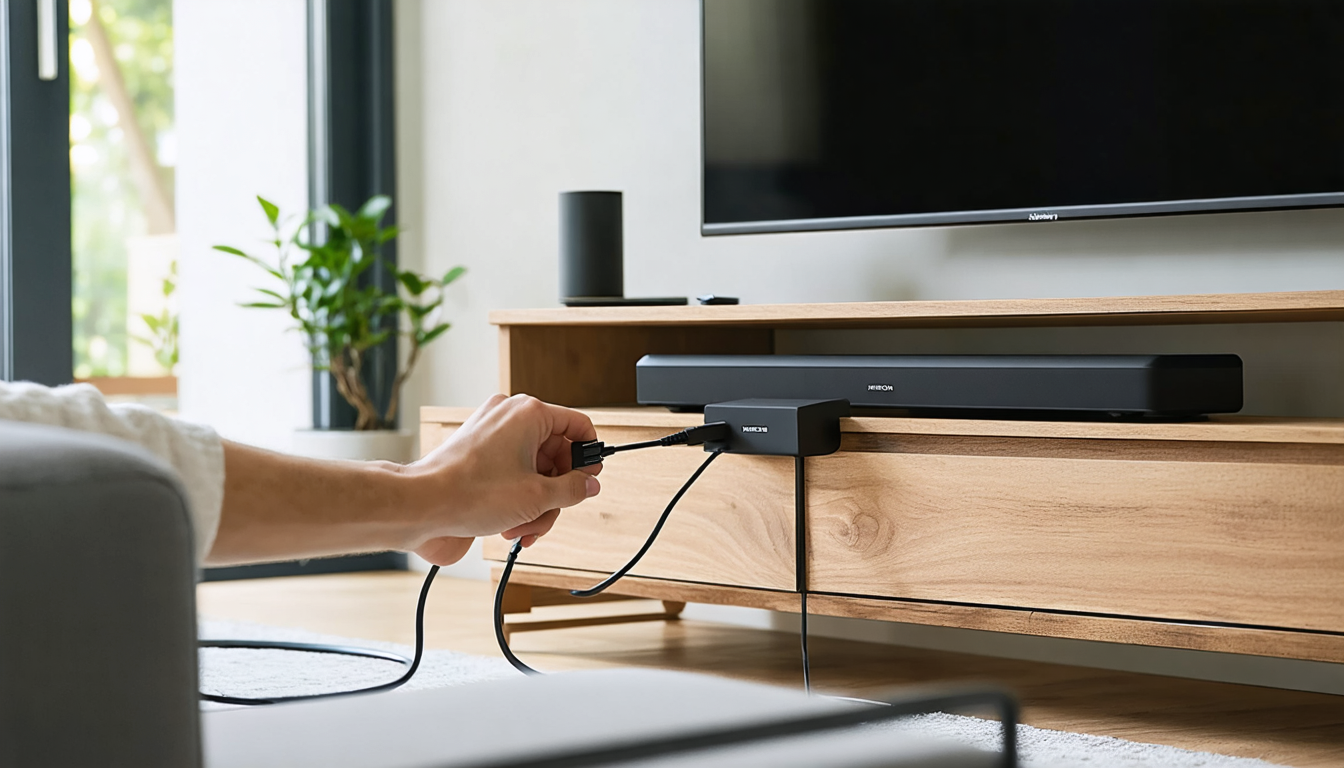
To carry out this installation, here are the key steps: start by identifying the HDMI port labeled ARC or eARC on your TV, then connect it to the corresponding input on the soundbar. Once powered on, select the HDMI source on your soundbar. Go to the audio settings of your TV to choose the audio output towards the soundbar. Also enable the HDMI-CEC function (sometimes called Anynet+ or Simplink depending on the brand) to synchronize volume control between the two devices with a single remote.
This smart synchronization is a real ergonomic asset: turning on your game console or set-top box automatically activates the soundbar and the TV, thus avoiding a chain of devices to manage manually. If multiple external sources are available, it is recommended to connect them directly to the HDMI IN ports of the soundbar. This central configuration allows the soundbar to manage image transmission and sound output, offering a considerable gain in ease of use and optimal sound quality.
The introduction of HDMI eARC in 2026 also brings improved compatibility with recent devices. To fully benefit from its advantages, make sure to use a good quality HDMI 2.1 cable, ensuring support for audio formats as well as higher video bitrate if needed. This technological advance is equivalent to going from simple stereo listening to an enveloping sound environment worthy of cinemas.
The advantages and limitations of Bluetooth and Wi-Fi wireless connections for your soundbar
In a context where room layouts are becoming increasingly wire-free, wireless connections represent an appealing alternative to connect your soundbar to your TV. In 2026, this trend is confirmed with a multitude of options – Bluetooth and Wi-Fi remaining the main standards for an easy installation guide.
Bluetooth mainly attracts by its simplicity. Almost all recent devices are equipped with it, and the pairing procedure between the soundbar and the TV is generally intuitive. Press the source button until “BT PAIRING” appears, then identify the bar from your TV’s Bluetooth settings. Some models also include NFC technology: just bring a compatible smartphone close to trigger the connection instantly. However, this method has its limits. In particular, a slight delay between image and sound is often noted, especially noticeable during dynamic content such as video games or sporting events. Sound quality remains acceptable but is generally lower than what wired connections offer.
Wi-Fi connection, on the other hand, offers a much richer experience. It allows reach surpassing easily 30 meters, with sound quality superior to Bluetooth thanks to a wider bandwidth. It also facilitates integration of options like direct music streaming from platforms such as Spotify or Deezer, multiroom, and even voice control via built-in assistants. The Wi-Fi connected soundbar can thus be at the heart of a true ecosystem. Sound quality, range, and features make Wi-Fi the preferred option when compatible with your TV. However, it is important to note that most brands often close their environment, making this technology less universal than Bluetooth or HDMI. Interoperability between devices of different brands may therefore remain limited.
| Type of connection | Range | Audio quality | Features |
|---|---|---|---|
| Bluetooth | About 10 meters | Good | Basic (simple audio transmission) |
| Wi-Fi | 30 meters and more | Excellent | Streaming, multiroom, voice control |
| HDMI ARC | Cable only | Excellent | Unified control via TV remote |
| HDMI eARC | Cable only | Exceptional | Support for high-resolution formats (Dolby Atmos, DTS:X) |
Choosing between Bluetooth and Wi-Fi mainly depends on the desired sound quality and the features you want to use daily. For simple and quick use, Bluetooth is sufficient. For an installation where sound is a central element, Wi-Fi is clearly superior, even if it requires strict compatibility between devices.
The role of the Toslink optical cable as an alternative solution in a soundbar – TV setup
If your TV or soundbar does not support HDMI ARC or eARC, the Toslink optical cable is a wise choice. This digital connection, present on many devices, offers good quality audio transmission while remaining very accessible.
The optical cable transmits a compressed multichannel audio stream, compatible with formats like Dolby Digital 5.1, guaranteeing sufficient sound immersion for daily uses. Unlike HDMI, the optical signal only carries audio, and it is a one-way link, which implies independent volume and remote control management. For example, you will have to control the sound on the bar and on the TV separately depending on your configuration.
For setup, simply plug one end into the OPTICAL OUT output on the TV and the other into the DIGITAL AUDIO IN input on the soundbar. Don’t forget to select the “D.IN” or “Optical” source on the bar and, in the TV audio settings, to activate the optical audio output. This method remains ideal for those who have older equipment or whose TV does not have an HDMI ARC port.
However, the optical connection does not support uncompressed high-resolution audio formats like Dolby Atmos or DTS:X. This limits the audio experience to a quality that, although satisfactory for most TV programs, does not meet the expectations of demanding cinephiles or gamers seeking precise spatial sound. You must therefore assess your real sound needs before favoring this type of connection.
Finally, old analog RCA connections can still be a fallback for very old equipment, but they do not guarantee sound quality worthy of contemporary digital technologies. It is a last resort solution, to be used only if no other option is feasible.

Configuring audio settings to get the best out of your soundbar and TV
Once your soundbar is properly connected to your TV, adjusting the audio settings plays a central role in optimizing sound quality. Most modern TVs integrate several dedicated sound modes, allowing you to adapt the rendering according to the content watched: movie, music, sports, or dialogue.
It is important to understand that sound quality depends not only on the soundbar but also on the software configuration between devices. For this, explore the audio menu options of your TV to activate audio output to the bar (via HDMI ARC, optical, or Wi-Fi). Also make sure to adjust the settings related to the audio format sent: favor the “bitstream” or “passthrough” modes to preserve the entirety of audio tracks, notably Dolby Atmos soundtracks.
If the soundbar offers an automatic calibration system, use it to adapt the sound according to your room’s acoustic configuration. This function, increasingly common in 2026, analyzes distance, resonance, and obstacles, and adjusts the volume of different channels and frequencies accordingly. You will notice much greater breadth and precision once this adjustment is complete.
For those who spend many hours in front of the screen, it is advisable to place the soundbar at ear level. This arrangement promotes the perception of sound details with minimal distortion. Also keep bulky objects out of the direct path of sound waves to avoid interference.
Here is a list of steps to efficiently configure your audio:
- Check that the audio source is properly directed to the bar in the TV menu
- Choose the appropriate sound format (passthrough/bitstream for Dolby Atmos)
- Enable the HDMI-CEC function for unified control
- Perform automatic calibration if available
- Physically position the bar at ear level and without obstacles
- Organize the connection of other sources via the bar if possible
- Keep the firmwares of both devices up to date
Device compatibility: a key criterion for a successful soundbar installation
In 2026, the multiplication of audio and video technologies requires particular attention to device compatibility. This applies as much to TVs as to soundbars, as well as cables and standards used.
Before any purchase or installation, it is important to check that your TV and soundbar support the same communication protocols. For example, wanting to take advantage of HDMI eARC requires both devices to be compatible with this standard and to have the appropriate ports. Otherwise, maximum quality cannot be exploited, and the system will automatically fall back to lower standards like classic HDMI ARC or optical.
Regular firmware updates play a fundamental role. Manufacturers improve compatibility, fix bugs, and add new features over time. A recent soundbar can thus see its performance evolve thanks to simple software updates. It is recommended to check for these updates every few months to guarantee optimal operation.
Moreover, compatibility between the soundbar and external devices connected (consoles, Blu-ray players, set-top boxes) should not be overlooked. Choosing a soundbar with multiple HDMI inputs facilitates centralizing equipment and ensures better source management while maintaining high sound quality. This approach avoids multiplying direct connections to the TV, simplifying configuration and navigation.
Finally, make sure that the HDMI cable used is certified and of an appropriate version (HDMI 2.1 for eARC, HDMI 1.4+ for ARC). A low-quality or damaged cable can cause signal loss and degrade sound quality.
What to do in case of problems connecting your soundbar to the TV?
Installing a soundbar should be child’s play, yet problems can arise at different times. The most common difficulties encountered concern absence of sound, delay between image and sound, or inability of the TV to recognize the soundbar.
First, check that the sources are properly selected on the soundbar. Often, it must be manually configured on HDMI ARC, Bluetooth, or optical depending on your connection. Then, make sure the TV is sending the sound via the chosen output in its settings. Forgetting this step can completely exclude sound from reaching the bar.
For audio delay, a common issue in Bluetooth, try reducing the distance or avoiding obstacles between the two devices. HDMI eARC connections normally do not suffer from this issue and are a more reliable solution in this case. Also consider disabling “advanced” audio processing options that may slow down sound transmission.
If the soundbar is not recognized, a full restart (turning the TV and bar off and on) accompanied by reconnecting the cable can often solve the problem. Also check that HDMI-CEC functions are enabled, as they facilitate communication between devices. Putting the soundbar in Bluetooth pairing mode before detection may also be necessary.
Finally, check firmware updates for your TV and soundbar. Known bugs are regularly fixed by manufacturers, and obsolete software versions can cause avoidable incompatibilities.
Positioning and sound environment: how to optimize the performance of your soundbar
Beyond the physical connection and electronic settings, the positioning of the soundbar in your living room plays a major role. A careful installation maximizes sound performance and immersive experience, transforming your living room into a true show hall.
The bar should ideally be placed at ear level when you are seated facing the TV. Avoid hiding it behind objects or inside a closed cabinet, which can muffle the sound. Models equipped with automatic calibration adapt to the room, but good positioning guarantees a clearer and more dynamic rendering from the start.
Finally, consider the room’s acoustics itself. Hard surfaces, like tile floors, can generate echoes, while carpets or curtains absorb certain frequencies, sometimes favoring a warmer sound. Experiment with arrangement to find the right acoustic balance. In 2026, soundbars sometimes include correction options through mobile apps, allowing you to refine the sound spectrum remotely.