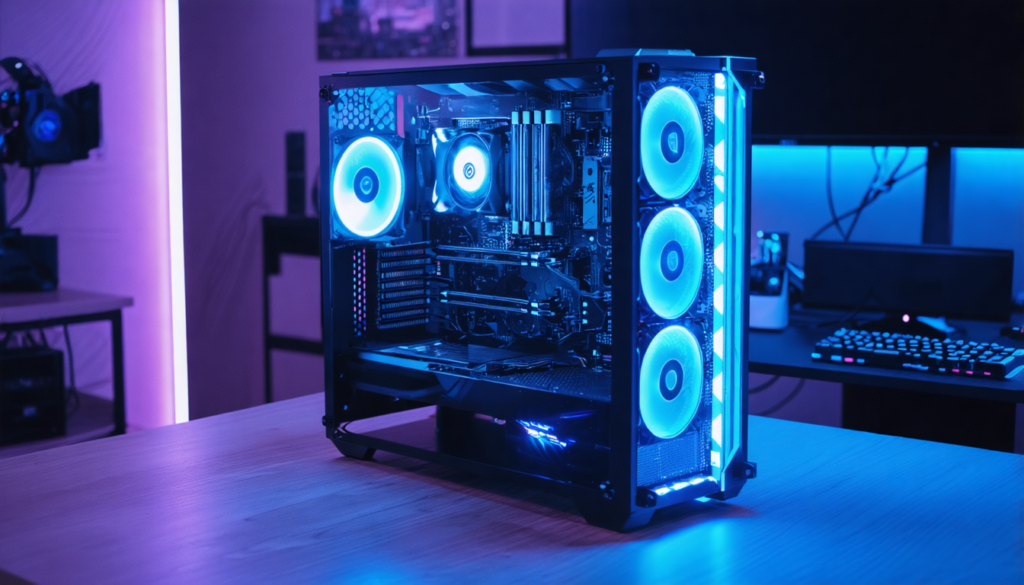
With the arrival of the RTX 4070, a graphics card that appeals for its perfect balance between power and price, the question of the ideal processor to pair inevitably arises. Determining the best configuration is a bit like assembling an engine and a transmission: each component must be balanced to achieve a flawless experience. Between cutting-edge performance and budget control, it is necessary to navigate delicately in a market where hardware innovations multiply at a frantic pace.
In 2025, the RTX 4070 remains a preferred choice for gamers wishing to fully enjoy modern games in 1440p, sometimes even in 4K, without sacrificing the tactile comfort of high settings. Yet, its true potential can only be expressed with a suitable processor, capable of fully exploiting its capabilities without creating a bottleneck. Among the plethora of available options, some models stand out particularly, combining a modern architecture with an excellent quality-price ratio.
- 1 Choosing a processor compatible with the RTX 4070: the fundamentals for a successful configuration
- 2 Intel Core i7-13700K: the ideal balance between performance, budget, and compatibility
- 3 AMD Ryzen 7 7800X3D: 3D V-Cache technology at the service of intensive gaming
- 4 Adjusting RAM: why 32 GB DDR5 at 6000 MHz optimizes performance
- 5 Optimizing the motherboard: Z690, Z790, X670, and B650, how to choose?
- 6 Cooling and ventilation: ensuring longevity and stability of your RTX 4070 setup
- 7 Choosing a processor according to your budget without sacrificing gaming performance
- 8 The role of complementary components in an optimized RTX 4070 setup
Choosing a processor compatible with the RTX 4070: the fundamentals for a successful configuration
To fully exploit a graphics card as powerful as the RTX 4070, it is essential not to neglect the role of the processor. A CPU that is too modest will force the card to wait, causing the infamous “bottleneck” that limits the overall system performance. Conversely, an overly high-end processor can sometimes represent an unnecessary extra cost, without a notable tangible gain in gaming. Finding a balance is therefore the key to an economical and performing setup.
The RTX 4070 is designed to excel with recent processors from 6 to 8 cores. This number of cores ensures effective management of parallel tasks, notably in very demanding recent games. High frequencies are another asset, especially on processors capable of dynamic overclocking, which further improves performance in titles sensitive to clock speed. Thus, an Intel Core i7-13700K or an AMD Ryzen 7 7800X3D appear as ideal candidates, offering respectively an efficient hybrid architecture and an innovative 3D V-Cache technology.
Compatibility does not stop at just the number of cores. It is also necessary to ensure that the motherboard and memory are adapted to support all this potential. For example, opting for a Z690 or Z790 motherboard from Intel, or X670/B650 from AMD, guarantees support for the latest DDR5 and PCIe 5.0 standards, as well as advanced power management necessary for overclocking. Without this, the RTX 4070 might not receive all the expected power and responsiveness.
Intel Core i7-13700K: the ideal balance between performance, budget, and compatibility
The Intel Core i7-13700K stands out as an essential star in 2025 to accompany the RTX 4070. Offered at a reasonable price, this processor is equipped with 8 Performance cores (P-cores) and 8 Efficient cores (E-cores), perfectly combining raw power and efficient background task management. This hybrid architecture makes it particularly suitable for games that require both high frequencies and multi-threading.
In practice, the i7-13700K allows full use of the RTX 4070 without limiting it. For example, in competitive titles such as “Call of Duty Modern Warfare II” or “Valorant,” fluidity remains exemplary with maximum frame rates. The possibility of overclocking further multiplies this advantage, provided you have a suitable motherboard and cooling system, discussed later.
The value for money of this CPU is one of its major assets. Unlike the more expensive i9 models, the i7-13700K offers a very interesting compromise, especially for gamers mindful of their budget. This option suits both dedicated gamers and content creators who want to stream simultaneously without noticeable slowdowns.
- Number of cores: 8 P-Cores + 8 E-Cores
- Maximum boost frequency: Up to 5.4 GHz
- Motherboard compatibility: Z690, Z790
- Overclocking: Yes, with adequate cooling
- Approximate price in 2025: Very good value for high-end gaming
AMD Ryzen 7 7800X3D: 3D V-Cache technology at the service of intensive gaming
The Ryzen 7 7800X3D is AMD’s best card up its sleeve to take advantage of the RTX 4070. Its 3D V-Cache adds an extra layer of ultra-fast memory, drastically reducing data access times. This particularity offers an undeniable advantage in very demanding games, especially those utilizing massive open worlds or complex simulations.
This processor is therefore a preferred choice for those who want to maximize their gaming experience without turning to the stratospheric prices of Ryzen 9 or Core i9. For example, a significant increase in FPS counts is observed in games like “Elden Ring” or “Cyberpunk 2077” compared to classic CPUs.
Moreover, the AM5 platform associated with these processors ensures broad compatibility moving forward, combined with optimized power consumption, an important factor for those also concerned with preserving their budget in the long term.
| Feature | AMD Ryzen 7 7800X3D | Intel Core i7-13700K |
|---|---|---|
| Cores/Threads | 8/16 | 16 (8+8) |
| Cache | 3D V-Cache + 96 MB | 30 MB |
| Boost Frequency | Up to 5.0 GHz | Up to 5.4 GHz |
| Power Consumption | 105W | 125W |
| Price | Higher than i7-13700K (but justified by gaming performance) | Best value for money |
Adjusting RAM: why 32 GB DDR5 at 6000 MHz optimizes performance
Beyond the processor and graphics card, the role of RAM is fundamental to avoid any performance loss. With the RTX 4070, DDR5 is now the standard, especially for high-end gaming configurations in 2025. Installing 32 GB at a frequency of 6000 MHz supports both recent games and demanding multitasking like streaming and video creation.
Why exactly 32 GB? Many modern games, including open world ones, can use up to 24 GB of RAM simultaneously when adding the needs of the system and ancillary applications. A comfortable buffer also helps avoid slowdowns due to a lack of memory, especially when combining the RTX 4070 with a powerful and balanced setup.
While RAM frequency is also important, it must be chosen in coherence with the motherboard and processor to maximize the bandwidth offered by DDR5. For example, a 6000 MHz kit guarantees increased fluidity and responsiveness for games demanding immediacy.
- RAM capacity: 32 GB recommended
- Type: DDR5
- Frequency: Minimum 6000 MHz
- Advantage: Reduces slowdowns and optimizes multitasking and gaming
Optimizing the motherboard: Z690, Z790, X670, and B650, how to choose?
The motherboard is the crucial element to ensure compatibility and stability between the processor and the RTX 4070. Intel’s Z690 and Z790 chipsets, as well as AMD’s X670 and B650, are today the most relevant options to build a balanced gaming setup. These boards natively support the latest standards, notably PCIe 5.0 and DDR5, essential to make the most of the RTX 4070.
Choosing between Z690 and Z790 at Intel often depends on advanced features and budget. The Z790 brings optimizations in power management, connectivity, and overclocking, while the Z690 remains a more economical yet performant option. On AMD’s side, the X670 is often favored for high-end configurations, while the B650 offers a more accessible alternative, ideal for budget control.
In summary, the selection must be made according to your CPU, your overclocking ambitions, and the peripherals you wish to integrate while ensuring perfect synergy with the RTX 4070. Avoiding hardware incompatibilities is essential to ensure all performances are smooth and lasting.
Cooling and ventilation: ensuring longevity and stability of your RTX 4070 setup
A powerful setup requires efficient thermal management to avoid overheating and potential performance drops. The processor plays a key role in this issue. If you choose an Intel Core i7-13700K or an AMD Ryzen 7 7800X3D, consider prioritizing liquid cooling, especially if you plan on overclocking.
Liquid cooling offers more consistent and efficient heat dissipation, maintaining high frequencies without throttling. This is crucial to fully enjoy your RTX 4070 without fearing slowdowns related to temperature. For more modest setups, a quality air cooler can suffice. The size and quality of the air cooler must, however, be suited to the processor’s power.
Beyond the processor, the case’s ventilation is another vital point. Installing additional fans renews warm air and ensures optimal airflow inside the chassis. Good circulation prevents overheating of both GPU and CPU, two essential components for maintaining a good thermal balance.
- Liquid cooling: recommended for high-end processors and overclocking
- Quality air cooler: sufficient for mid-range builds
- Case ventilation: install multiple fans for effective airflow
- Importance: protects hardware investment and maximizes lifespan

Choosing a processor according to your budget without sacrificing gaming performance
Budget often remains a decisive factor in selecting a processor to accompany the RTX 4070. It is essential to understand that the higher-end a processor is, the higher the price, but the performance gains can sometimes be marginal depending on usage. Similarly, choosing a CPU that is too low-end can make the RTX 4070 ineffective.
For a small to medium range, processors like the Intel Core i5-13600K represent an excellent compromise. With its 14 cores (6 P-Cores and 8 E-Cores), it offers very good performance in 1080p and 1440p, even if the margin is slightly limited on very demanding titles. This choice is common among budget-conscious gamers who still want to enjoy an excellent experience without breaking the bank.
At the other extreme, those wanting the ultimate for gaming and intensive streaming can turn to the Core i9-13900K or Ryzen 9 7950X3D. These processors deliver exceptional performance but at a higher price that will not always be justified if your RTX 4070 is the bottleneck of the whole.
- Moderate budget: Intel Core i5-13600K
- Balanced budget: Intel Core i7-13700K, AMD Ryzen 7 7800X3D
- High budget: Intel Core i9-13900K, AMD Ryzen 9 7950X3D
- Strategy: prioritize CPU/GPU balance for optimal gaming
The role of complementary components in an optimized RTX 4070 setup
To maximize the potential of your RTX 4070, it is not enough to pay particular attention to the processor. Secondary components also play a crucial role in smoothness and stability. For example, storage: prioritizing a fast NVMe SSD significantly reduces loading times and improves the overall system responsiveness, even in the most demanding games.
Next, power supply matters. A robust RTX 4070 and a powerful CPU require a power supply of at least 750W of good quality, with 80 Plus Gold or Platinum certifications. This ensures stable delivery, essential for component longevity and safety.
Finally, the quality of the case and its cable management are often underestimated. A well-designed case optimizes air circulation, facilitates the installation of fans and liquid cooling solutions while ensuring easy access for potential upgrades. All these combined elements contribute to a coherent and performant whole.
| Component | Recommendation | Impact on setup |
|---|---|---|
| RAM | 32 GB DDR5 at 6000 MHz | Optimizes multitasking and gaming performance |
| Storage | Fast NVMe SSD | Reduces loading times and increases responsiveness |
| Power supply | 750W to 850W, 80 Plus Gold or Platinum | Energy stability and safety |
| Case | Well ventilated, compatible with liquid cooling | Thermal management and ease of assembly |