In the constantly evolving digital landscape, streaming has become a true new form of expression and interaction. Popularized thanks to platforms like Twitch or YouTube Gaming, it today attracts millions of passionate content creators. Yet, capturing the attention of a community requires much more than just gaming or speaking talent; it also relies on optimal technical setup. In 2026, building a high-performance streaming setup combines quality hardware, software mastery, and pragmatic tips that ensure a smooth experience both for the streamer and their viewers.
To stand out in a saturated market, understanding the subtleties that link equipment and its configuration remains essential. This guide takes you to the heart of the essentials of modern streaming, from PC setup to microphone choice, including appropriate lighting and advanced sound management. Forget clichés of the basic setup: here, discover enlightened advice to build a technical environment that suits you, respecting your budget and ambitions. Whether you dream of energizing your community with intense gaming sessions or sharing varied content, this guide delivers the keys for a professional output accessible to all.
- 1 Optimal PC configuration: the foundations of a high-performance streaming setup
- 2 Choosing peripherals: webcam, microphone, and essential accessories for successful streaming
- 3 Lighting and staging: how to enhance your image during streaming
- 4 Essential software for a professional streamer setup: OBS Studio and beyond
- 5 Ergonomics and comfort: setting up an efficient dedicated streaming space
- 6 Advanced tips to perfect your streaming setup and stand out
- 7 Mastering the complete software configuration for smooth and interactive streaming
Optimal PC configuration: the foundations of a high-performance streaming setup
The PC is the beating heart of any serious streaming setup. Without a solid configuration, your stream will never be smooth and efficient. In 2026, to meet the demands of modern gaming and simultaneous broadcasting, opting for at least 16 GB of RAM has become an essential rule. The processor must also keep up: the latest generation Intel Core i7 or AMD Ryzen 7 are the reference choices, capable of handling multiple high-intensity tasks.
Beyond the components, the classic dilemma for streamers remains: should you opt for a single PC that handles both gaming and streaming, or choose the dual PC configuration? Each solution has its advantages. A single PC setup remains attractive for tight budgets, limiting clutter and power consumption. However, this system requires a very powerful machine ideally equipped with a recent NVIDIA graphics card. Thanks to the NVENC technology patented by NVIDIA, video encoding is offloaded from the processor for better smoothness, ensuring a quality stream without sacrificing gaming performance.
Conversely, the dual PC setup clearly separates tasks: one computer dedicated to gaming runs independently from another managing the broadcast. This organization eliminates the risk of FPS drops in-game and improves overall stability. It is the standard for professional streamers who aim for the best possible quality without compromise. In this configuration, a quality video capture card is indispensable, serving as an intermediary between the two machines.
Here is a table summarizing the key components for an effective PC setup:
| Component | Recommended Minimum Configuration | Advantages |
|---|---|---|
| Processor | Intel Core i7 or AMD Ryzen 7 | Excellent multitasking management |
| RAM Memory | 16 GB DDR4 | Smoothness during streaming and multitasking |
| Graphics Card | NVIDIA RTX 2070 or higher | NVENC encoding to offload CPU |
| Storage | NVMe SSD 500 GB minimum | Fast startup and reduced loading times |
| Internet Connection | Fiber optic with Ethernet cable | Stability and broadcast speed |
Recognized streamers in France, like Domingo or Gotagai, have consolidated their success by respecting these technical standards. Even for an aspiring streamer, it is essential not to underestimate the power demanded from their computer: it guarantees that every scene of your stream, every interaction, and every gaming moment proceeds without a hiccup. For amateurs considering duo sessions or multitasking streams, a high-performance setup is the best assurance of a remarkable professional output.
Choosing peripherals: webcam, microphone, and essential accessories for successful streaming
If the PC handles the heavy mechanics, peripherals constitute the visible and audible face of your stream. Among them, the webcam is the first showcase of your presence. In 2026, the Logitech C920 remains a must-have for value for money, capable of delivering 1080p at 30 FPS. It appeals by its ease of use and reliability, ideal for beginners. However, upgrading is advisable especially if you want to offer your community a smoother and more natural image quality. The Logitech StreamCam or Razer Kiyo Pro are among the recommended models for 1080p at 60 FPS, particularly effective in low light conditions.
Next comes the audio element, often underestimated but fundamental nonetheless. The microphone is the key to an immersive and pleasant experience. Clear sound, without saturation, establishes a deeper connection between the streamer and their audience. Avoid at all costs the built-in mic of the headset or webcam, which generally produces muffled sound and disrupts the live stream. To start, a model like the Bird UM1 is an economical choice offering remarkable clarity. More comfortable budgets may consider the MSI Immerse GV60, recognized for its versatility and recording quality.
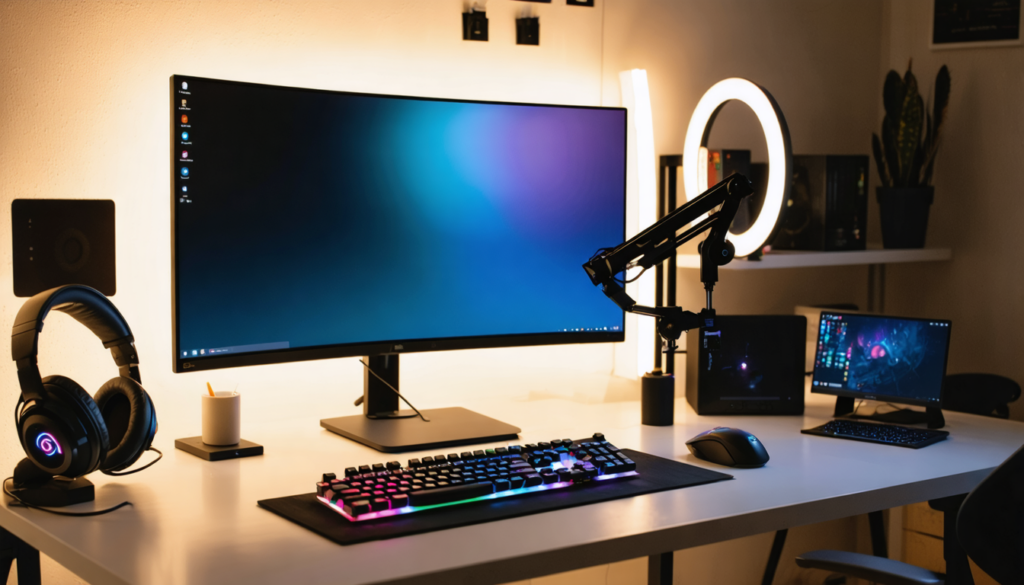
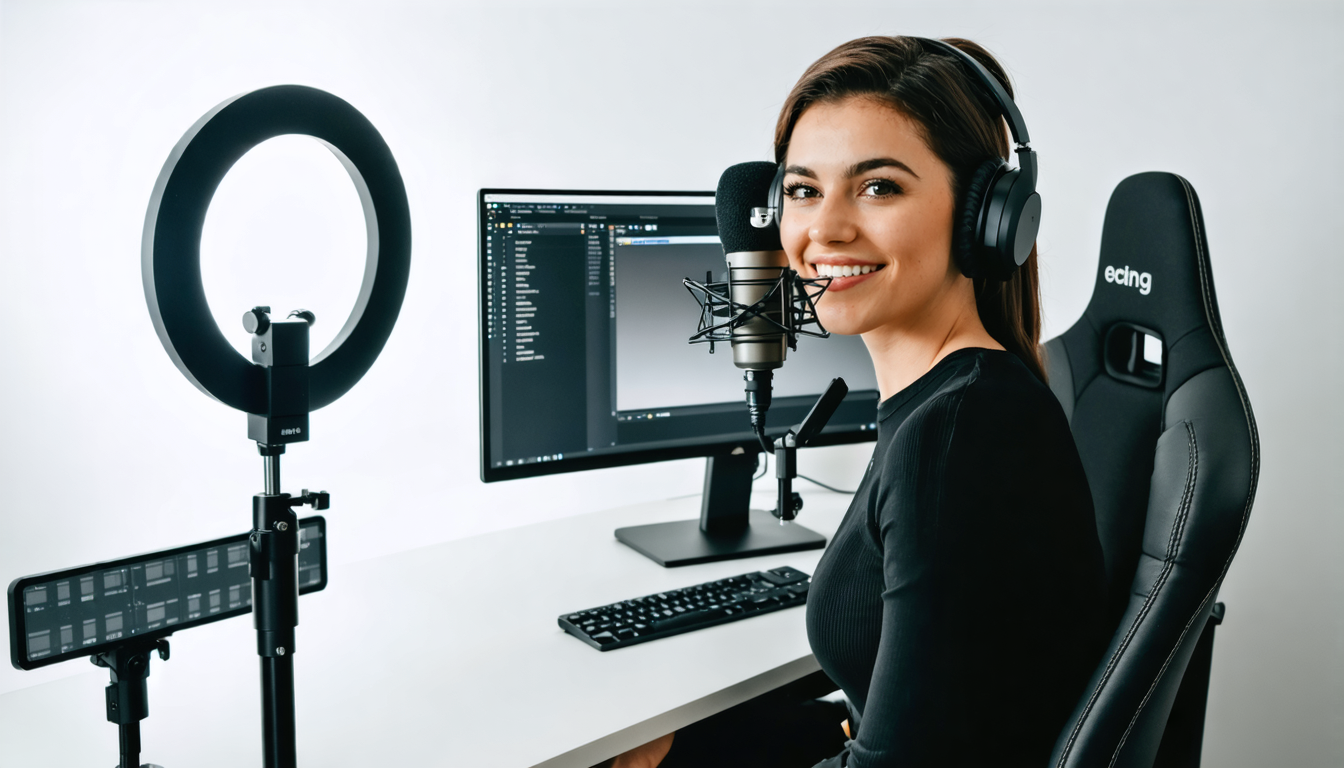
Lighting is not an option but a determining factor of your video’s visual quality. A simple ring light transforms the image considerably by reducing shadows and highlighting the streamer’s features. In confined spaces, monitor lighting (like the Litra Glow) is a discreet but effective alternative. For a more elaborate setup, modular LED panels such as the Elgato Key Light offer a professional output with adjustable light intensities between 800 and 1000 lumens.
Your setup would not be complete without certain accessories that facilitate live management:
- Secondary monitor: essential for following chats, alerts, and monitoring without leaving the game.
- Video capture card: indispensable for dual PC setups, it transmits the game PC’s video to the streaming PC.
- Stream Deck: programmable keyboard simplifying scene management, alerts, and other live functions.
- Green screen: optional but powerful for integrating visual effects and enhancing the aesthetic output.
This array of peripherals adapts to all profiles, whatever the level you are at. Even for games requiring sharp performance, like Valorant, good synergy between these elements guarantees a stream that is both performant and pleasant for the viewer.
Tips to optimize sound and avoid background noise
Sound represents the soul of your communication. No viewer will stay long on a stream where the voice is saturated or muffled by background noise. Here are some recommendations for optimal audio quality:
- Position the microphone correctly: an articulated arm helps limit vibrations and reduces mechanical noises.
- Adjust the gain precisely: to avoid saturations, you must find a balance between too low and too high volume.
- Use compression: a compressor helps to equalize voice levels, making it more consistent and pleasant.
- Isolate the mic: a pop filter and soundproofing reduce unwanted noises.
- Set up advanced mixing: software like Voicemeeter Banana allows you to manage different audio sources separately in your setup.
Good audio management directly contributes to the professional identity of your channel and will allow you to captivate and retain your audience.
Lighting and staging: how to enhance your image during streaming
Well-thought-out lighting contributes as much as hardware to the success of your live streams. Even high-end video equipment cannot compensate for inadequate or insufficient lighting. Modern techniques now include multiple carefully crafted light sources to deliver a neat and natural result.
It is essential first to understand the three basic types of lighting:
- Main light: central light source, it visually illuminates your face.
- Fill light: used to soften shadows and improve image depth.
- Background light: creates separation between you and the background, adding depth.
An effective setup combines these three layers for a result that is both flattering and professional. For example, a ring light often serves as the main light, while a less intense LED panel can act as side fill lighting. To add more personality, the background can be lit with a colored LED strip or a soft spotlight.
Beyond the technical aspect, this lighting helps establish an atmosphere according to your content style. Competitive game streamers often prefer direct and neutral lighting to clearly see their gestures and expressions, while creators of varied or scripted content sometimes opt for more artistic and immersive colored light plays.
Here are some simple tips to improve your lighting without blowing your budget:
- Avoid harsh overhead lights, which cause large unaesthetic shadows.
- Use diffusers to soften the light and avoid overly harsh lighting.
- Position your lights at 45 degrees relative to your face for a natural effect.
- Favor warm light for a cozy atmosphere or cool light for a more neutral style.
Essential software for a professional streamer setup: OBS Studio and beyond
Choosing good streaming software is as strategic as choosing hardware. In 2026, OBS Studio remains the free and open-source reference, used by the majority of creators for its flexibility and power. With its many options, it allows creating tailor-made configurations adapted to every style and need.
Its variant, Streamlabs OBS, simplifies the interface for beginners while offering advanced features such as native alert integration, as well as access to a store of professional widgets and overlays. For those who prefer a paid solution, XSplit remains an alternative, but its main advantage is ease of use without significant technical quality improvement.
In OBS, creating custom scenes is crucial. You can prepare several atmospheres according to the content: gameplay scene, webcam only, interlude pause, or waiting screen with animations. Each scene groups video sources, audio, and relevant graphic elements. This fluid organization optimizes live management and strengthens production.
Concerning sound management, Voicemeeter Banana is a highly popular solution for its fine control of different audio sources: game, mic, background music, alerts. This management allows mixing and perfectly balancing your audio streams for a clear and professional output. However, you must be careful with latency parameters and buffering settings to avoid crackling.
Beyond simple broadcasting, thinking about encoding quality is fundamental for an optimal output. With a single PC equipped with a compatible NVIDIA card, the NVENC encoder guarantees smooth streaming without loading your processor. For a dual PC, the x264 encoder via CPU offers more control over video quality but requires a more powerful dedicated streaming machine.
Optimizing your bitrate according to your internet connection
The internet connection plays a determining role. Fiber optic with an Ethernet cable guarantees the best stability, essential to avoid quality drops and disconnections. Bitrate corresponds to the amount of data sent per second; a too low bitrate degrades the image, too high can cause interruptions if the connection is insufficient.
For Full HD 1080p streaming at 60 FPS, a bitrate between 4500 and 6000 kbps is ideal. If your upload is unstable or limited, adjust downward to avoid interruptions. Always testing and adjusting according to the quality perceived by your audience allows staying in the perfect compromise between fluidity and output.
Ergonomics and comfort: setting up an efficient dedicated streaming space
Beyond hardware and software, creating a comfortable streaming space greatly contributes to the quality of your live streams. A well-organized desk with equipment within reach, an ergonomic chair, and thoughtful cable management avoid fatigue and distractions. A tidy personal space enhances your concentration and enjoyment during sessions.
Here are some practical tips to optimize your streaming workstation:
- Choose an appropriate desk: sufficient surface area to accommodate your main monitor, secondary screen, microphone, and accessories.
- Invest in an ergonomic chair to avoid back pain during long sessions.
- Organize cabling with velcro ties or flexible sleeves for a neat and secure result.
- Provide adequate ventilation: powerful PCs and lighting generate heat that needs to be dissipated efficiently.
- Personalize your background to bring a touch of authenticity to your lives while controlling visual aesthetics.
Creating a friendly and professional atmosphere will help you last longer and concentrate fully on interacting with your audience, crucial to making a difference against the competition.
Advanced tips to perfect your streaming setup and stand out
Once the basics are set, it’s time to explore more advanced techniques to refine your setup.
Using OBS plugins and extensions allows you to further personalize your stream: inserting dynamic alerts, real-time interactive displays like statistics, or advanced overlay management. These tools increase immersion and loyalty by giving a unique professional aspect.
Regularly testing your equipment is an essential habit. Before each stream, check audio-video quality, test your lighting and sound synchronization to avoid unpleasant surprises live.
Mastering multitasking is also essential. Using a dedicated secondary monitor for chat, alerts, and stream management allows you to stay focused on the game or main content. Some professional streamers push this idea further with touch screens or personalized Stream Decks to execute commands quickly without leaving the stream.
Thinking about redundancy guarantees continuity. Having a backup microphone, an internet backup via a 4G router, or an alternative PC ready to switch ensures that your live broadcast is not abruptly interrupted by technical issues.
Finally, don’t forget that authenticity remains key. Even the best setup will never replace a sincere connection with your audience. Every technical improvement should serve to highlight your universe, your personality, rather than mask weaknesses.
Mastering the complete software configuration for smooth and interactive streaming
At the heart of your setup, software orchestrates capture, mixing, and broadcasting. Mastery of these tools is as important as hardware choice.
With OBS Studio, the flexibility is immense. It allows you to compose your scenes, manage your video and audio sources, and integrate animated graphic elements to energize your live. These scenes can be programmed to chain seamlessly or triggered manually.
Integration of alerts via specialized platforms (like Streamlabs or StreamElements) brings valuable dynamism: real-time thanks when a new subscriber or donation occurs, personalized animations that strengthen interactivity with the audience.
Advanced audio configuration with Voicemeeter Banana completes the setup. By separating sources and outputs, this software gives you total control over volumes, effects, and sound quality broadcast. It is imperative to spend time calibrating every parameter, from noise suppression to latency settings, to avoid annoying problems during the broadcast.
The coherent use of these tools will allow you not only to deliver a polished image but also to develop a true immersive experience for your community, the primary lever for increasing engagement and growth.
List of good software practices for effective streaming
- Create multiple scenes with smooth transitions.
- Systematically test audio before each session.
- Use audio filters to eliminate background noise.
- Properly configure bitrate according to internet connection.
- Regularly update software to benefit from innovations.
- Install extensions for live interactions (alerts, polls, etc.).
- Set up keyboard shortcuts to manage the stream quickly.
- Analyze audience feedback to adjust the experience.