In the vast universe of gaming, the refresh rate, expressed in Hertz (Hz), has become a determining factor for optimizing the visual experience and screen responsiveness. In 2026, as technological advances multiply, choosing the right refresh rate is essential not only to enjoy exceptional gaming image quality but also to ensure controlled gaming latency, a key element in e-sports competitions and intense gaming sessions. The variety of refresh rates available on the market, ranging from 60 Hz for casual players to over 360 Hz for pros, requires understanding their implications and adapting your choice to your specific needs, while taking into account screen compatibility with the hardware, especially the GPU.
Each Hz corresponds to one image update per second, which means that fluidity and screen responsiveness depend directly on this parameter. For example, for a passionate FPS or MOBA player, a 144 Hz screen can transform the way movements are perceived and reaction time to enemy actions. But the choice does not stop there: resolution variations, the panel technology used, the type of connection (HDMI or DisplayPort), and synchronization via FreeSync or G-Sync also play a fundamental role in fully exploiting this refresh rate.
This comprehensive guide dives into these aspects in detail, helping you identify the ideal refresh rate based on your usage, favorite games, and hardware setup. From discovering the concept of refresh rate to understanding gaming latency, to tips for combining performance and budget, each section is an invitation to master this central element of your gaming setup perfectly.
- 1 Understanding screen refresh rate and its importance for gaming
- 2 Making the right Hz choice based on your gaming habits
- 3 Resolution and screen refresh rate: an essential duo in gaming
- 4 Complementary technologies that improve screen responsiveness
- 5 Flat and curved screens for better immersion and performance
- 6 HDMI vs DisplayPort: which connection to favor for an optimal refresh rate?
- 7 How to balance screen refresh rate, performance, and budget?
Understanding screen refresh rate and its importance for gaming
The screen refresh rate, expressed in Hertz, measures how many times a screen updates its image each second. In other words, a 60 Hz refresh rate means the screen displays 60 images per second, while a 144 Hz screen displays 144. This data is essential for anyone seeking a smooth and responsive experience, especially in the competitive gaming world where every millisecond counts.
The relationship between fps and Hz is crucial to maximize screen responsiveness: the monitor frequency should ideally correspond to the number of frames per second generated by the graphics card to avoid any tearing or stuttering phenomena. For example, playing at 120 fps on a 60 Hz screen results in reduced fluidity, as only 1 frame out of 2 is displayed. This mismatch thus impacts gaming image quality and causes perceptible gaming latency, penalizing playability.
Beyond casual gaming, where 60 Hz may suffice, competitive players clearly benefit from higher rates. A 144 Hz or even 240 Hz screen optimizes precision in movements, with a sharper display and reduced motion blur. For example, first-person shooter (FPS) games like Counter-Strike or Valorant gain considerable advantage, as the delay between controller actions and visual reaction is drastically reduced, improving gaming latency.
This effect is also felt in e-sports where screens exceeding 360 Hz are now used, offering maximum responsiveness. However, this type of screen frequency is only relevant if the graphics card can generate enough fps to match this speed. It is therefore essential to consider screen compatibility with the rest of the setup to avoid underutilizing or wasting your hardware’s power.
Making the right Hz choice based on your gaming habits
The refresh rate you should choose depends directly on your type of gaming and the level of performance you expect. Here are some common profiles and their associated recommendations:
- Casual player: If you play strategy games, RPGs, or solo games with a moderate pace of action, a 60 to 75 Hz screen will be sufficient. This rate allows a smooth experience without requiring resource-heavy hardware.
- Serious amateur / semi-competitive: The 144 Hz screen has become the standard. It offers an excellent balance between fluidity and hardware demands. Suitable for FPS, MOBA, and fast-paced action games like Overwatch or League of Legends, it significantly improves gaming image quality and screen responsiveness.
- Pro gamer / competitor: Frequencies from 240 Hz to 360 Hz are recommended for players involved in e-sports or competitions. This rate minimizes gaming latency and motion blur. However, it requires a powerful graphics card to maintain fps and Hz correspondence.
To clearly visualize these recommendations, here is a summary table:
| Refresh Rate (Hz) | Recommended Use | Game Examples | Recommended Hardware |
|---|---|---|---|
| 60 Hz | Casual gaming | Simulations, solo games, management games | Modest setups |
| 144 Hz | Competitive amateur gaming | FPS, MOBA, fast action | Mid-range to high-performance GPU |
| 240 Hz | Hardcore and pro gaming | Esports, ultra-fast FPS | High-end GPU |
| 360 Hz and above | Extreme esports competitions | Competitive FPS, fast action games | Ultra-performance GPU |
That said, do not overlook the graphics card factor: a 360 Hz screen unsupported by a GPU capable of generating as many fps will be underutilized, reducing overall performance. The choice of refresh rate must therefore be consistent with the rest of your hardware.
Resolution and screen refresh rate: an essential duo in gaming
The refresh rate should not be analyzed in isolation: the screen resolution plays a key role in the perception of fluidity and gaming image quality. The most widespread resolutions in 2026 are:
- 1080p (Full HD): This standard remains the best compromise to take advantage of high-frequency screens up to 240 Hz without overly stressing the graphics card. Perfect for gamers seeking fluidity with a reasonable budget.
- 1440p (QHD): Offers better definition with finer rendering. Compatible with rates between 144 Hz and 240 Hz on relatively recent hardware. Ideal for demanding gamers seeking a balance between image quality, definition, and screen refresh rate.
- 2160p (4K): Provides exceptional visual quality but is difficult to combine with a high refresh rate due to the significant GPU load. 120 Hz 4K screens remain an appreciable compromise with high-end hardware.
In practice, combining high resolution with a very high rate requires a very powerful setup, such as an RTX 4090 or equivalent. Without this, displayed frequency can be capped, limiting the feeling of fluidity. For a competitive player, favoring 1080p 144 Hz or 1440p 144 Hz will often be more effective than low-Hz 4K.
This explains why screen compatibility with your GPU, as well as the latest graphics technologies, are crucial for an optimal experience. It is advisable to harmonize these parameters to avoid disappointments during gaming sessions.
Complementary technologies that improve screen responsiveness
The refresh rate is not the only factor influencing your gaming experience. There are several technologies that optimize fluidity, reduce gaming latency, and ensure optimal screen compatibility with your hardware.
G-Sync and FreeSync: synchronization for perfect fluidity
These technologies developed respectively by NVIDIA (G-Sync) and AMD (FreeSync) dynamically adapt the screen frequency to the number of fps your graphics card offers. The goal is to avoid visual disturbances such as tearing (image tearing) or stuttering.
FreeSync is very popular and integrated into the majority of gaming screens today. It works with almost all compatible monitors, making it accessible and effective, especially for players equipped with an AMD card.
G-Sync, for its part, offers finer synchronization management but requires an NVIDIA-certified screen and often represents a significant additional cost. It mainly targets demanding gamers using a latest-generation NVIDIA graphics card.
To utilize these technologies, activate the function matching your setup in the graphics settings, which maintains excellent gaming image quality and optimizes gaming latency, especially during the fastest phases.
Response time: a fundamental criterion for sharp display
Response time corresponds to how quickly a pixel changes color, generally measured in milliseconds. A low response time (1 ms) is crucial to avoid image trails and motion blur, especially on TN or OLED screens which offer exceptional responsiveness.
The combination of a high screen frequency and very low response time provides an optimal rendering, particularly appreciated in competitive games, where every detail is vital. For example, in a game like Rocket League, reducing response time can significantly improve gesture precision.
Panel type: IPS, VA, TN, and OLED, what compromises?
The panel choice influences not only gaming image quality but also screen responsiveness and visual comfort:
- TN Panel: Still the fastest in response time, perfect for players seeking maximum responsiveness, but with less impressive viewing angles and colors.
- IPS Panel: Excellent for color rendering and viewing angles, with significantly improved response times in recent years, offering a good balance for versatile players.
- VA Panel: More contrasted, excellent for dark environments, but with slower response times and a risk of ghosting, less suitable for some fast-paced games.
- OLED Panel: The pinnacle in image quality and responsiveness thanks to ultra-low response times and infinite contrast, but at a higher price and with risks of screen burn-in.
Flat and curved screens for better immersion and performance
The design of your screen also influences your gaming experience. The choice between flat and curved screens largely depends on your gaming style and setup.
Flat screens remain favored by competitive gamers, notably for their distortion-free rendering and compatibility with multi-monitor setups. They ensure precise display without curvature effects that could hinder fast reflexes.
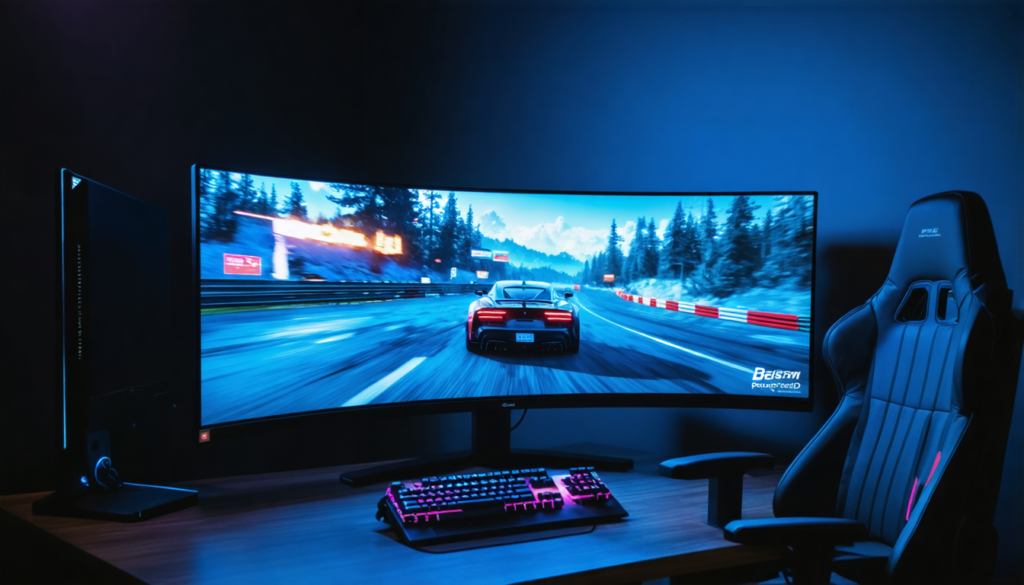
Conversely, curved screens attract users with enhanced immersion, potential eye fatigue reduction on large sizes, and futuristic aesthetics. They are recommended for solo, narrative, or simulation games where atmosphere is paramount.
The choice will therefore depend on your priorities, between pure performance and visual immersion, two often complementary aspects depending on the type of gaming practiced.
HDMI vs DisplayPort: which connection to favor for an optimal refresh rate?
To fully benefit from the advantages of a high screen frequency, it is essential to choose the right connection interface between the PC and the monitor. In 2026, the two dominant standards are HDMI (versions 2.0 and 2.1) and DisplayPort (versions 1.2, 1.4, and 2.0).
HDMI 2.0 is generally limited to 144 Hz at 1080p and 120 Hz at 4K, which can restrict your choice if you have a more performant screen. HDMI 2.1 overcomes this limit and allows up to 240 Hz at 1440p and 120 Hz at 4K, ideal for console gaming on recent systems like PS5 or Xbox Series X.
DisplayPort, for its part, is popular among PC gamers as it supports higher rates without compression. Version 1.4 allows up to 240 Hz at 1440p and 120 Hz at 4K, while the new 2.0, still little widespread, reaches even more impressive resolutions and refresh rates, such as 8K at 60 Hz.
My advice: for a 144 Hz screen or higher, favor DisplayPort 1.4, guaranteeing excellent screen compatibility and fluidity, unless you play on console, where HDMI 2.1 is essential to exploit 4K at high frequency.
How to balance screen refresh rate, performance, and budget?
Investing in a gaming screen with a high refresh rate often means significant expenses. However, it is possible to find a balance between performance and budget by following some practical tips:
- Establish your priorities: decide whether you prioritize fluidity, visual quality, or competitiveness. For solo games, 144 Hz at 1440p may suffice, while a gamer oriented towards e-sports will demand 240 Hz or more at 1080p.
- Think about upgradability: a 144 Hz screen offers good room for future upgrade of your setup without changing the monitor immediately.
- Adjust the resolution: favor 1080p or 1440p to maximize refresh rate and reduce GPU load.
- Don’t neglect secondary features: good contrast, low response time, FreeSync or G-Sync technology, and gaming options (like Black Equalizer) can greatly improve the experience.
- Watch out for promotions: the market regularly offers advantageous deals during events like Black Friday, allowing you to acquire powerful screens at lower costs.
In summary, the Hz frequency of your gaming screen should be a thoughtful and adapted choice, taking into account your usage, hardware, and budget. A good synergy between fps and Hz, combined with an optimal setup, is the key to a successful gaming experience.